Most local SEO workflows die somewhere between the landing page and the CRM. A keyword ranks, a visitor lands, maybe even fills out a form, and then the lead sits in a spreadsheet or gets buried in an inbox while a competitor with a tighter stack closes the deal first. The bottleneck is rarely the traffic. It is almost always the infrastructure connecting discovery to conversion to follow-up.
This tutorial walks you through a six-tool architecture built specifically to eliminate that gap. You will learn how to use KWFinder to surface high-intent local keywords, build a conversion-ready landing page in Systeme.io, capture leads in real time with LiveChat, route them through Make into a HighLevel CRM pipeline, and use Bizzy Clientflow AI template frameworks to produce the follow-up copy HighLevel sends on your behalf. Each stage connects directly to the next with no manual handoffs and no data loss.
By the end, you will have a repeatable, automation-driven workflow that turns local search visibility into a managed sales pipeline, built on tools that operate as a unified revenue system rather than a collection of isolated platforms.
Why Most Local SEO Lead Workflows Break Before the CRM
Most local businesses that invest in SEO face the same structural failure: they rank for local keywords, traffic arrives, and then nothing happens. There is no structured handoff from landing page visitor to CRM contact. The lead evaporates because no system was built to catch it.
The root cause is architectural, not tactical. When a keyword research tool, a landing page builder, a form, and a CRM are each purchased and operated in isolation, they create data silos at every stage boundary. A visitor who chatted with a support widget and mentioned a specific budget or timeline carries that context nowhere when the chat ends. The CRM receives a name and an email address at best. The follow-up message references nothing the prospect actually said, and response rates reflect that irrelevance.
The practical response is to build an integrated stack where each tool passes a clean, documented output to the next, eliminating the data loss that occurs when tools are operated without a defined handoff contract.
This blueprint addresses that gap with a six-tool workflow where KWFinder, Systeme.io, LiveChat, Make, HighLevel, and Bizzy Clientflow AI each occupy a defined stage. No tool handles more than its assigned responsibility, and each one produces a clean, documented output that the next tool consumes. That input/output discipline is what distinguishes a revenue workflow from a stack of unconnected subscriptions.
Each stage boundary in this architecture has an explicit handoff artifact: a validated keyword set, a ranked landing page, a captured lead record, a routed webhook payload, a pipeline-staged contact, and a personalised follow-up script. If that chain sounds unfamiliar in the context of automation middleware options, the sections that follow explain exactly how each connection is configured and why the sequence holds together under real traffic conditions.
The Full Stack Architecture: Six Tools, One Revenue Workflow
Here is how the six stages connect into a single, unbroken revenue chain, with each tool occupying a specific functional slot that no other stage can fill.
Stage
Tool
Function
Handoff Output
1
KWFinder
Local keyword intelligence
Validated target keyword set
2
Systeme.io
SEO-optimized landing page
Ranked, indexed capture page
3
LiveChat
On-page lead capture
Structured lead record with transcript
4
Make
Automation bridge and data routing
Routed, enriched webhook payload
5
HighLevel
CRM pipeline and omnichannel follow-up
Pipeline-staged contact with full context
6
Bizzy Clientflow AI
Follow-up script template delivery
Context-driven follow-up copy
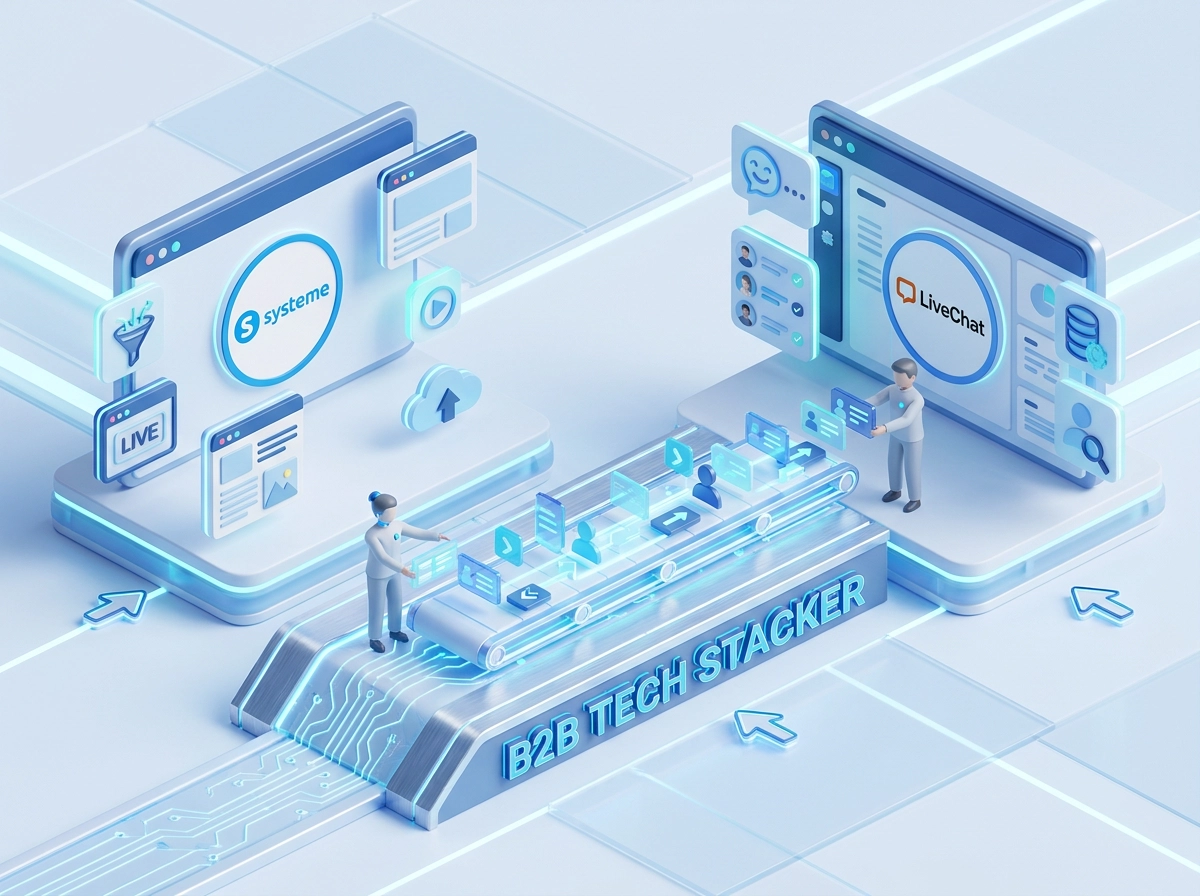
Tool selection here is driven by capability requirements at each stage, not preference. KWFinder occupies Stage 1 because the workflow requires location-filtered keyword difficulty scoring before a single page gets built. Systeme.io occupies Stage 2 because the workflow needs a rankable, conversion-ready landing page fast, with built-in funnel analytics and a free entry tier. LiveChat occupies Stage 3 because form-only capture misses mid-funnel visitors; webhook-triggered chat captures them and generates a transcript that carries qualification context into every downstream stage.
The input/output contract between stages is what makes this architecture debuggable at scale. When a lead fails to appear in HighLevel, you trace backward: did Make receive the webhook payload from LiveChat? Did the Router module evaluate the qualifying condition correctly? Did the HighLevel API call return a success response? Each stage produces a discrete, inspectable artifact, so failure is never ambiguous.
This architecture is built specifically for B2B and local service businesses targeting IT professionals, agency operators, or purchasing decision-makers. These audiences require multi-touch nurture sequences because their buying cycles involve validation, internal approvals, and multiple objection points. A single automated email does not move them. The full sequence, from keyword-matched landing page through HighLevel’s omnichannel pipeline management to Bizzy Clientflow-scripted outreach, is designed to match that sales cycle with the appropriate number of structured touchpoints.
Stage 1: KWFinder for Local Keyword Discovery
With the architecture map established, the workflow execution begins here: keyword intelligence is the variable that determines whether every downstream stage succeeds or produces traffic with no conversion potential.
KWFinder sits at the top of this stack specifically because it combines location-based filtering with keyword difficulty scoring in a single interface, giving you the two data points that define a viable landing page topic before a single line of copy is written.
Setting Up Location-Based Filtering
Open KWFinder and set the target location to your specific city, metro region, or neighborhood rather than a national or broad geographic setting. This surfaces queries that include local modifier intent, such as “managed IT services Dallas” or “commercial HVAC repair South Loop Chicago,” which competitors have often not yet targeted with standalone dedicated pages. Those gaps are your entry points.
For SEO and search visibility strategy at the local level, uncontested geography-qualified queries consistently outperform broad terms where national directories dominate the SERP.
Applying the KD and Volume Thresholds
Filter results to keyword difficulty (KD) scores in the low-to-mid range (a working starting point is 30–35), at this range, new to mid-authority local domains have a realistic path to ranking without an extensive link-building campaign. Pair the KD filter with a minimum monthly search volume floor, 100 searches per month is a common practitioner guideline, to ensure a top-ranking result actually drives meaningful visit volume.
Avoid optimizing for volume alone. A keyword showing 2,400 monthly searches with a KD of 55 is a lower-priority target than one showing 320 searches with a KD of 18.
Exporting Your Keyword Brief
Once filtered, select the top 5 to 10 validated keywords and export the full dataset including search volume, KD score, CPC value, and SERP data. This export is not just a reference document; it becomes the literal SEO brief that drives every structural decision in Stage 2. The CPC value signals commercial intent, and a higher CPC alongside a low KD score indicates an under-monetised local query worth prioritising.
Reading the SERP Analysis View
Before finalising any keyword, open KWFinder’s SERP analysis view for that query. Identify whether the current ranking pages are service pages, blog posts, or directory listings. If directories fill positions one through five, the ranking barrier is structural, not just authority-based. If individual service pages rank in the top five, your Systeme.io page has a realistic format-matched path to compete directly against them.
Stage 2: Systeme.io for SEO Landing Page Construction
With your KWFinder keyword set exported, Systeme.io becomes the build environment where that keyword intelligence gets translated into a rankable, conversion-ready landing page.
Entry Cost and Platform Capabilities
Systeme.io’s free forever plan supports up to 2,000 contacts and includes landing page and funnel building tools, making it a zero-cost entry point for standing up the capture page. The drag-and-drop editor requires no coding knowledge, and professional templates provide a baseline structure you configure against your local SEO brief rather than building from scratch.
On-Page SEO Configuration
Once inside the page editor, deploy the primary KWFinder keyword across four locations: the page title tag, the H1, the meta description, and at least two body paragraph subheadings. This distribution establishes topical relevance signals for local search crawlers across the elements they weight most heavily. Systeme.io exposes all four fields natively through its page settings panel; no external plugin or developer access is required. URL slug configuration should also include the keyword and the local modifier to reinforce geographic intent.
Page Structure for Local Lead Capture
The page layout should follow this sequence above the fold:
Headline: primary keyword + local modifier + service claim (one line)
Value proposition: three sentences maximum, addressing the specific pain point the keyword implies
Social proof element: a single testimonial, review count, or trust badge
Primary CTA: one button or form, no competing links
The LiveChat widget must load within this above-the-fold zone and remain visible without scrolling. Stage 3 depends entirely on that widget being the first interactive element a visitor encounters.
Closing the Optimization Loop
Systeme.io’s built-in funnel analytics track page visit volume against chat engagement. If visit-to-chat conversion stagnates, that signal routes back to KWFinder for keyword intent re-evaluation before any page copy changes are made. For a deeper look at how Systeme.io fits into broader multi-tool lead routing architectures, the Lead Routing Workflow: Connecting Jotform, Make, Pabbly Connect, HighLevel, Systeme.io, and ClickFunnels blueprint covers field mapping and conditional logic patterns directly applicable here.
Stage 3: LiveChat for On-Page Lead Capture
With the Systeme.io landing page live and indexed, LiveChat becomes the active capture layer sitting on top of it, converting anonymous organic visitors into identified, qualified contacts without requiring them to locate and submit a form.
Trigger Configuration: Timing the Greeting
Embed the LiveChat widget directly in your Systeme.io page template, then configure an automated greeting trigger set to fire after a short dwell period. The goal is to engage visitors who have read enough to recognise relevance but have not yet committed to a form, the middle-of-funnel segment most local SEO workflows miss entirely.
Pre-Chat Form: Minimum Viable Lead Record
Before the chat opens, LiveChat’s pre-chat form should collect a small number of focused fields: first name, business email, and one qualifying question tied to the specific local service. Useful qualifying questions include current provider, project timeline, or monthly budget range. Limiting the form to these fields reduces abandonment while capturing enough pipeline context to populate the HighLevel contact record with actionable data rather than an empty shell.
Webhook Output: The Bridge to Stage 4
LiveChat’s webhook event triggers are the technical handoff point to Make. When a pre-chat form is submitted or a conversation is marked complete, LiveChat fires a structured JSON payload to the Make webhook URL containing the contact fields and the full chat transcript. This event-driven architecture means no polling, no manual exports, and no lead data sitting idle in LiveChat’s inbox.
That qualification context is what Stage 6 depends on to produce relevant follow-up language.
For a broader look at routing LiveChat conversations into downstream sequences, the LiveChat to email marketing workflow blueprint connecting Make and HighLevel covers the structural logic that applies across multiple integration patterns.
Stage 4: Make as the Automation Bridge and Routing Layer
Once LiveChat fires its webhook payload, Make receives that structured JSON and takes over as the middleware layer, transforming raw chat data into a precisely routed HighLevel contact record without any manual intervention between stages.
Scenario Setup: Webhook Trigger
Create a new Make scenario and add a Webhooks module as the trigger. Make generates a unique webhook URL; paste that URL into LiveChat’s integration settings under the webhook event configuration. From that point forward, every completed chat or submitted pre-chat form fires structured JSON directly into the scenario, carrying name, email, qualifying answers, the source page URL, and the KWFinder-derived keyword that drove the visit.
Router Module: Qualification-Based Branching
After the trigger, insert Make’s Router module to apply conditional logic before anything touches HighLevel. Define at least two routes:
High-priority route: Lead’s budget field exceeds your defined threshold, or service category matches a target segment. These contacts route directly to a “Chat Qualified” pipeline stage in HighLevel for immediate sales follow-up.
Nurture route: Leads that fall below qualification criteria route to a longer-cycle nurture pipeline stage, keeping them in the system without clogging the active sales queue.
This branching pattern mirrors the architecture approach covered in the HighLevel and Metricool integration workflow blueprint using Make as middleware, where Router module logic separates data streams before the API write step.
HighLevel API Write and Field Mapping
At the end of each route, use either Make’s native HighLevel module or an HTTP module to create or update the contact record. Map every incoming field explicitly: first name, business email, chat transcript summary, source page URL, and the originating keyword. Incomplete field mapping at this stage causes Bizzy Clientflow AI to produce generic scripts later rather than contextually relevant ones.
Error Handling Route
Add a fourth path off the Router specifically for API failures. If the HighLevel call returns an error, the fallback action should log the full lead payload to a Make Data Store and trigger an internal notification. This prevents silent lead loss during outages and gives you a recoverable record to reprocess once the connection restores.
Stage 5: HighLevel for CRM Pipeline Management and Omnichannel Follow-Up
Make delivers the structured payload; HighLevel immediately creates a pipeline-staged contact record with the qualifying fields and transcript context already attached. The contact lands in a defined stage such as “New Local Lead” or “Chat Qualified” rather than a generic inbox, meaning the pipeline reflects actual qualification status from the moment the record is created.
Pipeline-aware workflow automation fires the moment a contact enters that stage. HighLevel’s stage-entry trigger fires the follow-up sequence the instant the contact record is written, eliminating the gap between capture and first contact.
Omnichannel Follow-Up Sequence
Configure the minimum viable sequence as follows:
Immediate: Automated SMS acknowledgment sent within seconds of stage entry
Within 1 hour: Follow-up email with service-relevant context drawn from the contact record
Within 24 hours: Task assignment routed to a human rep for a personal touchpoint
Relying on email alone abandons the channels where local service prospects actually respond. HighLevel’s SMS, email, and voice channels operate from a single workflow node, so the omnichannel sequence requires no separate tools or manual coordination.
Sub-Account Architecture for Agencies
Agencies running local SEO campaigns for multiple clients can replicate this entire workflow inside isolated sub-accounts, each with its own pipeline, contact database, and follow-up sequence. All sub-accounts are managed from one dashboard at the $97/month Starter plan entry point, which makes per-client governance operationally clean without requiring separate logins or platform instances.
Why HighLevel Handles the API Layer at Scale
HighLevel’s workflow engine supports branching logic and pipeline-conditional triggers at the scale this architecture requires. This is the technical reason the Make integration from Stage 4 is viable at the scope local service campaigns demand. For teams building more complex data sync patterns, the blueprint covering user data sync from Adalo to HighLevel via Make demonstrates how HighLevel’s API handles multi-source payloads without degrading pipeline integrity.
The result closes the workflow loop: a lead sourced, captured, routed, and staged now receives follow-up copy built around what they actually said.
Stage 6: Bizzy Clientflow AI for Automated Follow-Up Script Generation
Where HighLevel stages the contact and fires the sequence, Bizzy Clientflow AI determines what that sequence actually says. That distinction separates a functional CRM workflow from a high-converting one.
Bizzy Clientflow AI provides a purpose-built library of follow-up script templates and AI prompts. You load the relevant template into your HighLevel message nodes, then personalise using the contact data and transcript already stored in the CRM record. The output is copy you paste or lightly adapt, not an auto-generated API call.
Context-Driven Scripts vs. Static Templates
Every HighLevel user running a local service workflow has access to the same message node structure. The differentiator is what goes inside those nodes. Static templates ignore everything the prospect said during the LiveChat conversation. Bizzy Clientflow’s prompts and templates are structured around the types of objections and intent signals commonly surfaced in local service conversations; you apply them to the specific transcript and contact details sitting in HighLevel to write copy with real contextual relevance.
Bizzy Clientflow supplies template frameworks for each touchpoint in the sequence:
Initial SMS: sent immediately on pipeline stage entry, referencing the specific service the prospect asked about
First email (day 1): expands on the prospect’s stated pain point with relevant framing, not a generic welcome
Re-engagement message (day 3): addresses the most common objection class for the service type, adapted to what the transcript reveals
Breakup sequence (day 7): low-pressure close that references the original conversation rather than starting over
Why This Matters for B2B and IT Audiences
For agencies and marketing teams targeting IT professionals and technical decision-makers, generic sales language is a conversion killer. This audience reads past promotional copy and responds to specificity. Bizzy Clientflow’s scripting produces technically credible, consultative language that references what the prospect said rather than what the seller wants to pitch.
Full Workflow Integration Checklist Before You Go Live
Before going live, run each stage through this checklist in sequence. A failure at any layer invalidates the stages downstream, so validate in workflow order.
KWFinder Validation
Confirm the target keyword carries a KD score in the low-to-mid range (a working starting point is 30–35) and a monthly search volume at or above your defined floor. Then inspect the SERP composition: at least one non-directory result (a service page or blog post from an individual domain) must appear on page one. If every result is a directory listing, individual pages cannot currently compete for that query regardless of on-page optimisation quality.
Systeme.io Page Audit
Verify the primary keyword appears in the title tag, H1, meta description, and at least one subheading. Then check widget placement: the LiveChat widget must load above the fold on both desktop and mobile viewports without triggering a Cumulative Layout Shift. Check the CLS score using Google Lighthouse; a high CLS score is flagged under Core Web Vitals and can affect search rankings, so resolve any layout shifts before publishing.
LiveChat Webhook Test
Submit a test pre-chat form and confirm the webhook fires to the Make scenario URL within five seconds. Open the Make execution log and verify all four required fields are present: name, email, qualifying answer, and source page URL. A missing page URL field breaks the keyword attribution chain that carries the KWFinder source data into the HighLevel contact record.
Make Scenario Validation
Run the scenario with two test records: one qualifying lead and one non-qualifying lead. Confirm the Router module directs each to the correct HighLevel pipeline stage. Then open the resulting HighLevel contact records and verify every custom field is populated. An empty field at this stage means Bizzy Clientflow AI receives incomplete context and cannot produce accurate follow-up copy.
HighLevel Workflow Audit
Confirm the pipeline-aware automation triggers on stage entry, not on contact creation. Check that all SMS and email send steps are time-restricted to 8:00 a.m. through 8:00 p.m. local time as a best-practice compliance measure; verify exact timing rules under TCPA and applicable state regulations before deploying. Finally, open each workflow message node and confirm the Bizzy Clientflow template frameworks are loaded into the correct positions. Placeholder text left in any node will deploy to live contacts the moment the workflow activates.
Build the Workflow Once, Capture Local Leads Continuously
Once your checklist clears, the workflow is ready to run without further manual input.
The architecture documented in this blueprint eliminates lead loss by assigning one tool, one responsibility, and one handoff output to each stage. No stage depends on a human to move data forward. Every gap that disconnected local SEO setups leave open is covered by a defined integration point in this chain.
The entry cost for this full stack remains accessible for a solo operator or small agency. Systeme.io’s free tier supports the initial capture page build. HighLevel starts at the $97/month Starter plan entry point, and Bizzy Clientflow provides the template frameworks loaded into those nodes.
The competitive advantage here is not any single tool. The documented integration architecture connecting all six stages is what converts a set of subscriptions into a repeatable revenue workflow.
Conclusion
The four takeaways worth keeping: integration beats individual tools, automation must remove humans from data movement, follow-up quality depends on what prospects said during capture, and a six-tool stack can run affordably for solo operators and agencies alike.
Build this once and it captures leads continuously, without rebuilding campaigns or manually routing contacts. The architecture is repeatable by design, run it for one campaign, then scale it across clients or markets without rebuilding from scratch.