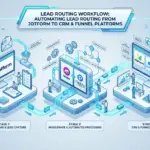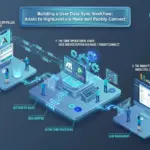

Skip the reading. Deploy this exact architecture and consolidate your B2B tech stack today.
Most sales and marketing stacks are held together with duct tape and wishful thinking. You have a funnel builder capturing leads, a CRM managing follow-up, a course platform delivering products, and an affiliate system tracking referrals, but none of these tools talk to each other cleanly. Revenue leaks through the gaps, attribution breaks down, and you spend more time troubleshooting integrations than actually growing.
This tutorial solves that problem by walking you through a purpose-built, four-platform architecture using HighLevel, ClickFunnels, Systeme.io, and Rewardful. Each platform owns a specific role in the workflow, and together they form a tightly connected revenue engine with minimal redundancy.
You will learn how these tools connect at the architecture level, how to configure each phase of the workflow from lead capture to affiliate attribution, and how to close the loop with accurate revenue reporting. By the end, you will have a repeatable blueprint for deploying this stack in your own business or for a client.
The Four-Platform Stack Architecture: How These Tools Connect
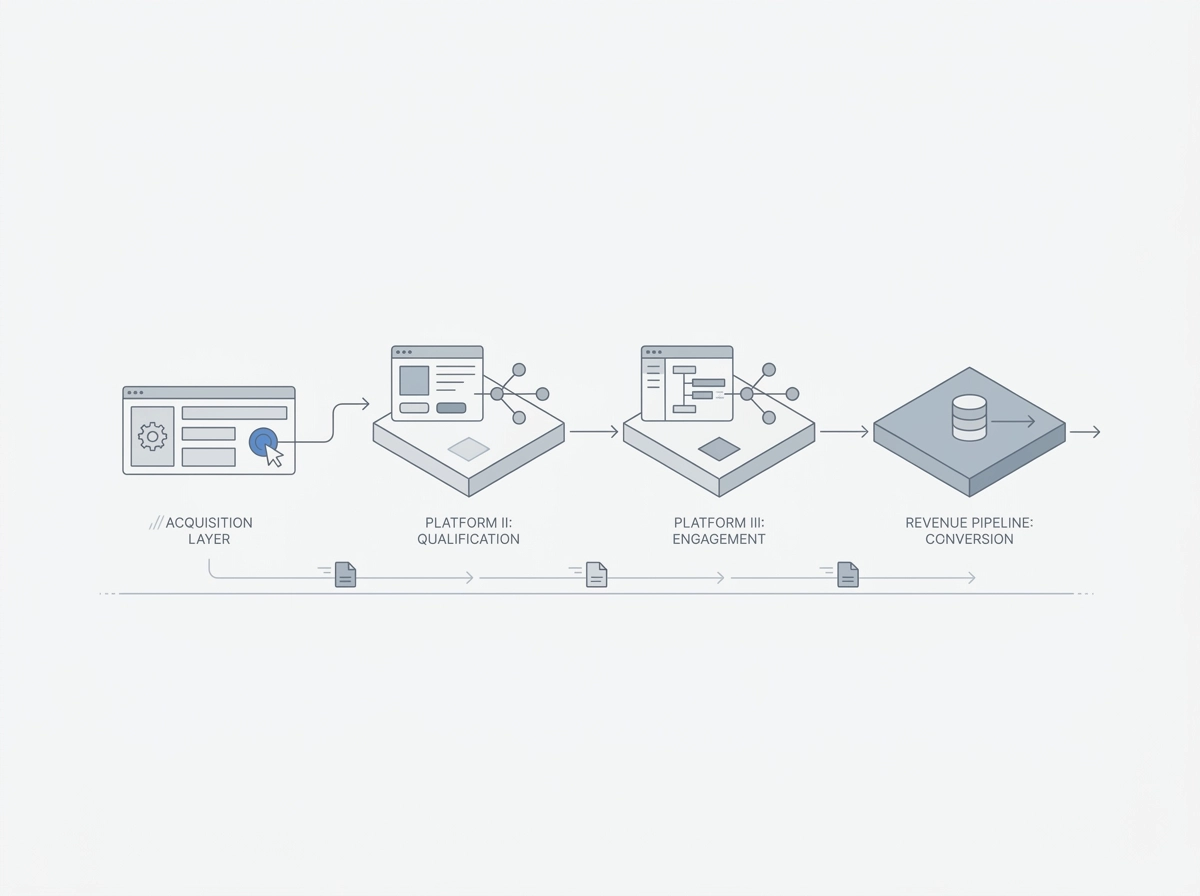
This blueprint connects four specialized platforms into a single revenue pipeline, where each tool owns a distinct, non-overlapping layer of the funnel.
The data flow moves in one direction: prospects enter through ClickFunnels at the acquisition layer, where landing pages and order forms capture the initial contact. That contact record is then passed downstream to HighLevel, which owns relationship management: pipeline staging, multi-channel follow-up, and CRM operations. Once a lead qualifies, Systeme.io handles fulfillment and nurture through email sequences and course delivery. Throughout the journey, Rewardful attributes revenue to the affiliate or referral source that originated the contact.
The separation of concerns matters architecturally. No single platform fully replicates what the others do. Each platform’s boundaries are fixed by the role already outlined in the architecture overview.
Two integration mechanisms connect the stack. Webhooks handle real-time event triggers: a form submission in ClickFunnels fires an HTTP POST to HighLevel within seconds. API calls handle bidirectional data sync: HighLevel can read from or write to Systeme.io on a scheduled or conditional basis. Understanding which mechanism applies to which event is the first configuration decision you will make.
The contact record is the shared data object that travels through all four platforms. Every system stores some version of the same contact: an email address, a name, a phone number, and source attribution parameters. If field names are inconsistent across platforms (for example, “full_name” in one system versus separate “first_name” and “last_name” fields in another), data loss and sync failures follow immediately.
At the time of this writing, native one-click integrations across all four platforms are not widely documented, making webhook and API configuration the structural foundation of everything covered in this guide. For a broader framework on how to architect a martech stack built for real-world performance, that context will reinforce the integration principles applied here.
Platform Role Definitions: What Each Tool Owns in the Workflow
With the data flow established, each platform’s functional boundaries determine exactly what configuration decisions belong where. Misassigning responsibility, for example, using the wrong tool to manage pipeline stages, is the primary source of integration failures in this stack.
HighLevel, CRM and Marketing Operating System
HighLevel is the authoritative system of record for every contact in the workflow. It owns pipeline stage progression, contact tagging, and multi-channel follow-up sequences (as documented in HighLevel’s platform overview). Its automation workflow builder executes conditional logic based on contact behavior, pipeline movement, and tag assignment. At $97/month for the Starter plan, it carries the highest per-seat cost in the stack and delivers deep automation and CRM capability. No other tool in this configuration should be managing pipeline stages or executing follow-up sequences.
ClickFunnels, Top-of-Funnel Acquisition Layer
ClickFunnels owns the acquisition surface: landing pages, opt-in forms, order forms, and upsell/downsell sequences. Its role ends at the point of lead capture or initial purchase. Once a visitor converts, ClickFunnels passes the contact record downstream via webhook. It does not manage ongoing relationships or post-conversion nurture.
Systeme.io, Fulfillment and Nurture Layer
Systeme.io handles course delivery, email nurture sequences, and lightweight marketing automation triggered after a lead qualifies downstream. Its Free Forever plan supports up to 2,000 contacts, making it a zero-cost fulfillment layer for early-stage deployments. It receives enrolled contacts from HighLevel, not directly from ClickFunnels.
Rewardful, Affiliate and Referral Attribution Layer
Rewardful operates as the revenue attribution and partner management layer. It tracks affiliate link clicks, attributes conversions to specific partners, and handles commission calculations and payouts. It has no CRM or nurture function.
Why Four Tools Instead of Fewer
This four-platform configuration is optimized to run acquisition, retention, and partner-led growth simultaneously without the capability trade-offs that consolidation forces.
Prerequisites and Technical Requirements Before You Build
With your platform roles defined, the next step is verifying that your environment is ready before writing a single webhook URL.
Required Accounts
You need active accounts on all four platforms before configuring any integration:
- HighLevel: the Starter plan ($97/month); confirm your selected tier includes webhook and automation workflow access before proceeding
- ClickFunnels: Any active paid plan with funnel publishing and webhook access enabled
- Systeme.io: The Free Forever plan (up to 2,000 contacts) is sufficient for initial setup; upgrade only when contact volume demands it
- Rewardful: Any active plan with JavaScript snippet access and conversion tracking enabled
Technical Knowledge Baseline
This integration does not require full developer expertise, but you must be comfortable with three specific concepts:
- Webhook payloads in JSON format: You will read and write key-value pairs to map contact fields between platforms
- HTTP POST requests: Every platform-to-platform trigger in this stack fires as a POST; understanding status codes (200, 401, 422) helps diagnose failures immediately
- Settings dashboard navigation: Each platform buries its webhook and API settings in different locations; knowing where to look in each interface saves significant time
Standardized Data Fields
Before touching any integration setting, define and lock these five fields with identical naming conventions across all four platforms:
email, first_name, last_name, phone, utm_source (or your chosen affiliate parameter name)
Inconsistent field naming is the single most common cause of broken contact records downstream (the primary failure mode flagged in the architecture overview). If this multi-platform field mapping process is new to you, the approach used in this unified customer communication stack blueprint illustrates the same standardization logic across a different tool set.
DNS and Domain Requirements
Connect a single custom domain to both ClickFunnels and Systeme.io before configuring Rewardful. Rewardful sets first-party cookies tied to the referring domain; if your funnel pages live on different subdomains, the affiliate cookie breaks mid-session and attribution fails silently.
Pre-Build Funnel Mapping
Map your complete funnel on paper or in a flowchart before opening any platform dashboard. For every trigger event, document three things: what fires it, what data payload it carries, and which platform receives it. This upfront mapping prevents scope creep during configuration and gives you a clear test checklist for each phase.
Phase 1: Capturing Leads in ClickFunnels and Routing Them to HighLevel
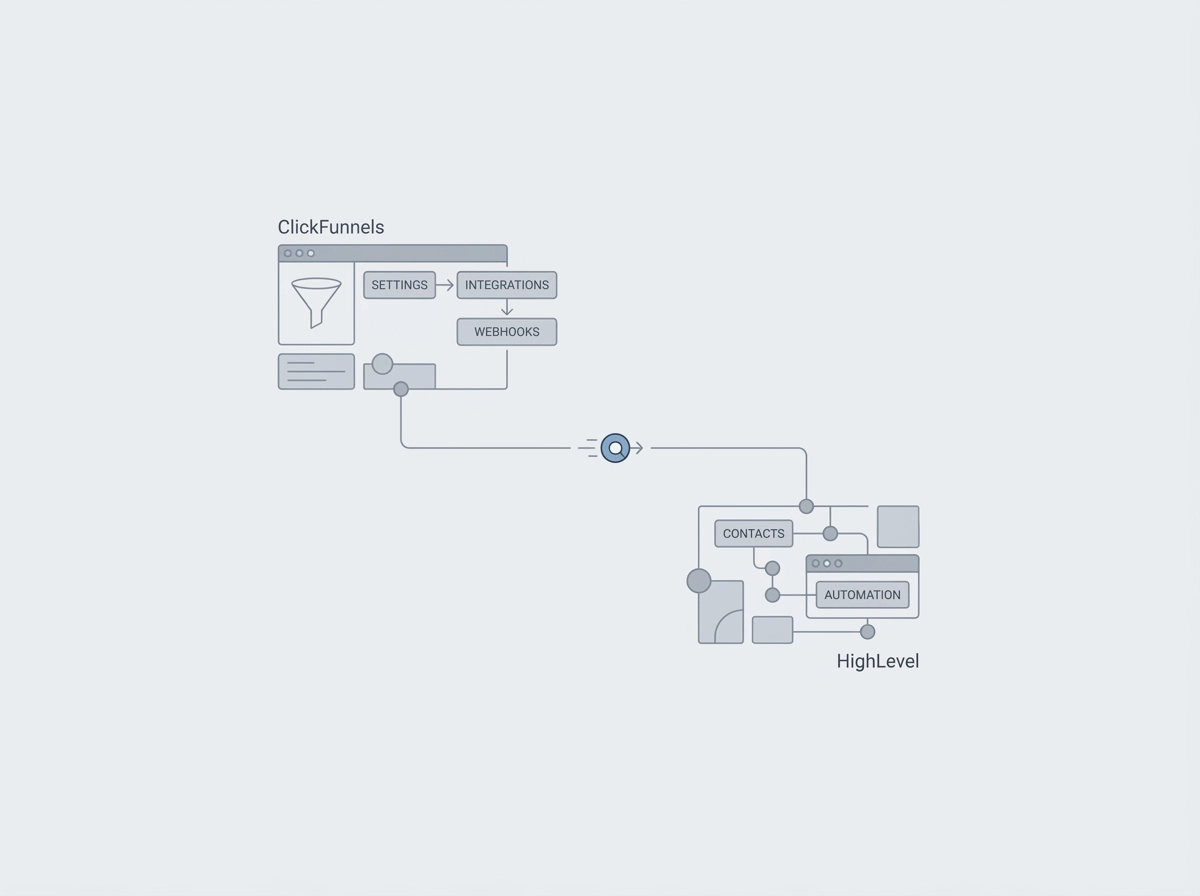
With your prerequisites confirmed and field names standardized, you’re ready to wire the first and most critical integration in the stack.
Step 1: Configure the ClickFunnels Webhook
In ClickFunnels, open the target funnel, select the opt-in step, and navigate to Settings > Integrations (or Webhooks, depending on your plan version). Add a new webhook and paste your HighLevel inbound webhook URL, setting the trigger event to Form Submission. The inbound webhook URL is found in HighLevel under Settings > Integrations > Inbound Webhooks; each URL is location-specific, so confirm it matches the correct sub-account.
Step 2: Configure the HighLevel Webhook Receiver
Inside HighLevel, configure the inbound webhook to perform three actions on payload receipt: create or update a contact record (using email as the deduplication key), assign the contact to the New Lead pipeline stage, and apply the source tag ClickFunnels-Optin. The tag is essential for segmenting this traffic source in every downstream automation and report.
Step 3: Map Form Fields Precisely
Field mapping is where most implementations fail. ClickFunnels frequently sends a single full_name field, while HighLevel expects separate first_name and last_name fields. Use HighLevel’s field mapping layer to split the value, or restructure the ClickFunnels form to collect first and last name as discrete fields before the webhook fires. Phone number formatting (with or without country code) is the second most common mismatch. Teams using a standalone email tool can review field standardization patterns documented in the B2BTechStacker tool library for additional reference.
Step 4: Set Up the Acknowledgment Workflow
In HighLevel, create a workflow with the trigger Contact Created via Webhook, filtered to contacts tagged ClickFunnels-Optin. Set the first action to send an SMS or email acknowledgment promptly after opt-in; faster response is generally associated with higher engagement at this stage.
Step 5: Test End-to-End
Submit a test lead through the live ClickFunnels funnel page. In HighLevel, verify the contact record exists with all mapped fields populated, the New Lead pipeline stage assigned, and the ClickFunnels-Optin tag applied. Check the webhook activity log under Settings > Integrations to inspect the raw payload if any field is missing. Only proceed to Phase 2 once this test passes cleanly.
Phase 2: Triggering Systeme.io Enrollment from HighLevel Automations
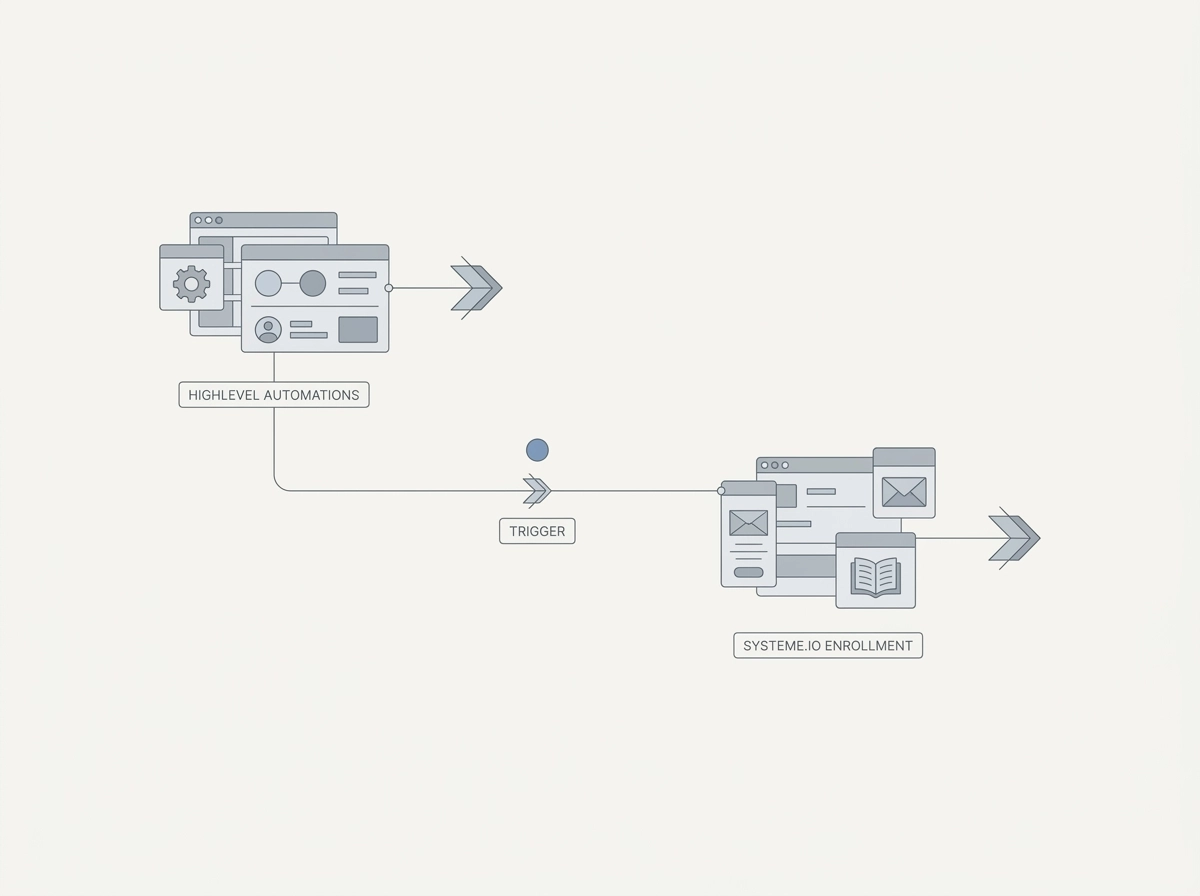
With a qualified contact now living in HighLevel, the next layer is fulfillment: routing that contact into Systeme.io for course access or email nurture the moment they meet a qualifying condition.
Why This Connection Matters
HighLevel manages qualification; Systeme.io handles delivery. When a contact books a call, completes a pipeline stage, or confirms a purchase, that event should immediately enroll them in the appropriate course or campaign sequence, without any manual intervention.
Retrieving Your Systeme.io API Key
In Systeme.io, navigate to Profile > API Keys under account settings. Generate a new key and copy it immediately; it will not be shown again in full. From Systeme.io’s API documentation, locate the campaign subscription or course enrollment endpoint. The enrollment request requires a POST to the relevant endpoint with at minimum the contact’s email address passed in the request body.
Configuring the HighLevel Webhook Action
Inside your HighLevel workflow, add a Custom Webhook action step and configure it as follows:
- Method: POST
- URL: your Systeme.io enrollment endpoint
- Headers: add
Authorization: Bearer YOUR_API_KEYand setContent-Type: application/json - Body: map dynamic fields using HighLevel’s merge syntax, for example
{{contact.email}},{{contact.first_name}}, and any relevant tag values
Setting the Trigger Condition Precisely
Avoid firing this webhook on every contact. Restrict the workflow trigger to a specific condition, such as pipeline stage equals “Qualified” or contact tag equals “purchase-confirmed.” This prevents duplicate enrollments when contacts re-enter earlier funnel stages. For event-based marketing workflows, applying an event-attendance tag as the trigger condition is an effective pattern.
Validating the Integration
Manually advance a test contact to the qualifying pipeline stage in HighLevel. Within 60 seconds, confirm the contact appears in Systeme.io’s Contacts list or the course’s Members tab. Use HighLevel’s Webhook Logs Dashboard to inspect the response status; a 200 or 201 confirms successful enrollment. A 401 indicates an API key mismatch, covered in the troubleshooting section later in this guide.
Phase 3: Wiring Rewardful for Affiliate Attribution Across the Stack
With your Systeme.io enrollment pipeline confirmed, the next layer to wire is affiliate attribution via Rewardful. You can find a full technical profile of this tool in the B2B Tech Stacker Rewardful directory entry.
How Rewardful Attribution Works
Rewardful’s attribution model is based on three stages: affiliate link click, cookie setting in the visitor’s browser, and a conversion event fired at purchase. Consult Rewardful’s official documentation to confirm the exact JavaScript API calls and cookie behavior for your plan.
Installing the Tracking Snippet
In ClickFunnels: Navigate to each funnel’s Settings, open the Tracking Code section, and paste the Rewardful JavaScript snippet into the Head Tracking Code field. Apply this to every funnel step, not just the landing page. Multi-step funnels that omit the snippet on intermediate pages will drop the cookie before the visitor reaches checkout.
Conversion event on the order confirmation page: On your ClickFunnels order confirmation step, add the Rewardful rewardful('convert', { reference: 'ORDER_ID' }) call in the page’s footer code. Pass the actual transaction amount and a unique order ID so commission calculation reflects real revenue, not estimated values.
Systeme.io-Hosted Offers
In Systeme.io: Add the Rewardful snippet to the page header settings of your sales or course enrollment pages. On the post-purchase confirmation page, fire the same conversion event script with the transaction amount. Confirm the script triggers after payment confirmation, not on checkout page load, to avoid false attribution.
Closing the Loop in HighLevel
When a referred visitor lands on any entry page, the Rewardful referral ID is appended as a URL parameter (check your Rewardful dashboard for your configured parameter name, commonly via). In HighLevel, create a custom contact field named Affiliate Referral ID and use a workflow trigger to capture that URL parameter and write it to the field on contact creation. This enables every pipeline view, report, and follow-up sequence in HighLevel to be filtered by affiliate source, completing the attribution chain across all four platforms.
Phase 4: Closing the Loop with Reporting and Revenue Attribution
With affiliate attribution wired through Rewardful in Phase 3, the final step is making that data visible and actionable across the full stack.
Reporting Architecture
Building on the functional separation established in the architecture section, use each platform’s native reporting for its own domain: HighLevel serves as the primary pipeline and revenue reporting layer, giving you deal stage progression, contact-level timelines, and aggregate revenue totals. Rewardful handles affiliate-level commission and conversion reporting, showing which partners drive paying customers versus low-quality leads. Systeme.io tracks email open rates, click-through rates, and course completion percentages, surfacing fulfillment-layer drop-off that pipeline data alone will not reveal.
Building Filtered Pipeline Views in HighLevel
Store three attribution values on every contact record: traffic source, affiliate ID, and funnel entry point. Apply corresponding tags on creation (for example, src-clickfunnels, aff-[partnerID], entry-webinar-funnel). Build saved pipeline filter views using these fields as filter criteria to isolate every deal originated by a specific affiliate or ClickFunnels entry page, producing full-funnel attribution from first click to closed deal without any third-party attribution tool.
Passing Real Transaction Values to HighLevel Opportunities
When ClickFunnels or Systeme.io fires a post-purchase webhook, include the transaction amount as a numeric field in the payload and map it to the HighLevel opportunity’s monetary value field. This ensures revenue reports reflect actual purchase amounts rather than static estimated deal values that distort pipeline metrics.
Aligning Rewardful Commissions to Pipeline Stages
Configure a HighLevel workflow that calls the Rewardful API to confirm a pending commission only when the associated contact advances to the “Payment Received” pipeline stage. This prevents premature payouts on refundable or incomplete transactions.
Weekly Cross-Platform Audit Routine
For teams building more complex acquisition ecosystems, this process maps directly to the audit frameworks outlined in Architecting High-Yield B2B E-Commerce & Acquisition Ecosystems.
- ClickFunnels: Total new leads submitted
- HighLevel: Pipeline conversion rate from “New Lead” to “Payment Received”
- Systeme.io: Course enrollment count versus completion rate
- Rewardful: Affiliate-driven revenue as a percentage of total closed deals
A gap between ClickFunnels lead volume and HighLevel pipeline entries signals a webhook failure. A gap between HighLevel closed deals and Rewardful confirmed commissions indicates a commission confirmation trigger misconfiguration. Address drop-off points upstream to downstream.
Total Cost of Ownership: What This Four-Platform Stack Will Run You
With reporting pipelines configured, the next practical question is what this architecture actually costs to run.
Platform Costs at a Glance
- HighLevel: $97/month on the Starter plan, covering CRM, automation workflows, and multi-channel follow-up
- ClickFunnels: pricing varies by plan tier; verify current pricing directly on their pricing page
- Systeme.io: Free Forever plan supports up to 2,000 contacts at $0; paid plans unlock higher contact volumes
- Rewardful: tiered pricing scales with affiliate-driven revenue; costs rise as your affiliate program matures
For early-stage deployments under 2,000 enrolled contacts, the fulfillment layer runs at zero cost. That makes Systeme.io’s Free Forever plan a genuine budget lever while the stack scales, not just a trial concession.
Specialized Depth vs. Monolithic Alternatives
A monolithic platform might consolidate several functions into one subscription, but no single platform currently replicates the acquisition depth of ClickFunnels, the CRM operating power of HighLevel, the course fulfillment simplicity of Systeme.io, and the affiliate attribution precision of Rewardful simultaneously. The stack trades convenience for specialization. Teams evaluating the tradeoff can explore comparable CRM & Funnel Builders to benchmark feature coverage.
Non-Software Costs
Budget meaningful technical setup time for initial integration configuration; complexity varies by team familiarity with webhooks and each platform’s interface. Beyond that, factor in ongoing overhead: webhook endpoint monitoring after platform updates, periodic API key rotation, and compatibility checks whenever HighLevel, ClickFunnels, or Systeme.io push breaking changes to their APIs.
The Cost Inflection Point
As contact volume crosses 2,000 or affiliate partner count grows significantly, revisit whether Systeme.io’s paid tiers or HighLevel’s higher-tier plans unlock features that justify the added spend relative to your workflow complexity at that scale.
Common Configuration Issues and How to Resolve Them
Even a correctly budgeted stack will surface edge cases once live traffic runs through it. The five issues below account for the majority of integration failures reported across this architecture.
Silent webhook failures between ClickFunnels and HighLevel
If HighLevel contact records are not appearing after form submission, check two things first: confirm the webhook URL contains the correct HighLevel location ID, and verify the ClickFunnels webhook event is set to fire on form submission rather than on purchase. Use HighLevel’s webhook log to inspect the raw incoming payload and confirm the POST is reaching the endpoint at all before adjusting field mappings.
Duplicate contacts from repeated ClickFunnels form submissions
Enable HighLevel’s contact deduplication and set the merge key to email address. Additionally, add a workflow condition that checks for an existing contact before executing the “Create Contact” action, so repeat submissions update the record rather than duplicate it.
Rewardful affiliate cookie dropping mid-funnel
Multi-step funnels that lack the snippet on intermediate pages will drop the cookie — move the snippet to the global funnel header as described in Phase 3.
401 Unauthorized errors on Systeme.io API calls from HighLevel
Regenerate the Systeme.io API key and update the Authorization header in the HighLevel webhook action as described in Phase 2; confirm the key scope covers enrollment.
Rewardful commissions stuck in pending from Systeme.io pages
The conversion script must fire on the post-transaction confirmation page, not on the checkout page load. Also confirm the revenue parameter is passed as a plain numeric value (for example, 49.00) with no currency symbols. A string value or improperly formatted amount will prevent Rewardful from processing the commission and will leave it in a permanent pending state.
Scaling the Stack: Next Steps as Your Workflow Matures
With the configuration issues resolved, the next phase is engineering this stack to grow with your business rather than requiring a rebuild as volume increases.
Agency Scaling via HighLevel Sub-Accounts
HighLevel’s multi-tenant architecture is the primary scaling lever for agencies. On the Unlimited plan, a single parent account supports 100+ fully isolated sub-accounts, each with its own CRM, pipelines, automations, and funnels. Once you’ve validated this four-platform workflow for one client, you can replicate the entire configuration into a new sub-account without rebuilding from scratch. Standardize a snapshot of your webhook configurations, workflow templates, and pipeline stages, then deploy that snapshot per client. Per-client setup time drops from days to hours.
Expanding the Rewardful Affiliate Program
As affiliate-driven revenue grows, add tiered commission structures inside Rewardful to reward top performers with higher rates. Build dedicated affiliate onboarding funnels in ClickFunnels that capture affiliate applications and deliver program terms. Deliver training materials, promotional playbooks, and compliance guides as a dedicated course inside Systeme.io, gating access until onboarding is complete.
Re-engagement Automation for Incomplete Course Enrollments
Contacts who enroll in a Systeme.io course but go inactive can trigger a re-engagement sequence in HighLevel. Where Systeme.io’s automation settings permit inactivity triggers, configure a webhook to HighLevel after a defined inactivity window; otherwise, use HighLevel’s scheduled workflow checks against enrollment date fields. This sequence recovers stalled enrollments without manual intervention.
Quarterly Stack Audit Protocol
Schedule a quarterly audit covering four areas: test every webhook endpoint for a valid 200 response; verify that HighLevel API keys and Systeme.io API keys have not expired or been deprecated (note that HighLevel’s V1 APIs reached end-of-support December 31, 2025, so confirm all integrations run on V2 or V3); confirm that ClickFunnels and Systeme.io tracking scripts still fire after platform updates; and reconcile Rewardful payout records against HighLevel revenue data to surface any attribution gaps.
For additional integration patterns, platform-specific configuration references, and stack diagrams that extend the workflows covered here, B2BTechStacker’s architecture blueprint library provides structured guides built specifically for multi-platform deployments like this one.
Conclusion: Turning Four Specialized Tools into One Cohesive Revenue Engine
With your quarterly audits and scaling patterns established, the architecture is ready to work as a unified system.
Each platform’s role is fixed — ClickFunnels acquires, HighLevel manages, Systeme.io delivers, and Rewardful attributes — and that non-overlap is the stack’s structural advantage.
Three architectural rules apply regardless of where you are in the build:
- Data standardization (covered in Prerequisites) must precede every other configuration step.
- Configure webhooks before automations. Automation logic built on unreliable data intake will fail silently and be difficult to debug.
- Test each integration phase in isolation. Confirm Phase 1 is stable before configuring Phase 2; don’t run end-to-end tests until each segment passes independently.
Start with Phase 1. The ClickFunnels-to-HighLevel webhook is the single highest-leverage integration in this stack. Every downstream process, Systeme.io enrollment, Rewardful attribution, pipeline reporting, depends on contacts entering HighLevel cleanly and completely. A broken intake layer corrupts everything that follows.
The stack is deliberately modular. Phase 2, Phase 3, and Phase 4 can each be implemented in separate sprints, which limits rollout risk and lets your team validate each layer before adding the next. Build sequentially, test rigorously, and the four tools will function as one revenue engine.