
Skip the reading. Deploy this exact architecture and consolidate your B2B tech stack today.
Most content strategies built on competitor research fail not because the research is wrong, but because it never becomes actionable. Teams pull data, fill spreadsheets, and then watch those insights expire before a single piece of content gets published. The pipeline breaks somewhere between observation and execution.
This guide solves that breakdown by connecting three purpose-built tools into a single, repeatable workflow. Opinly.ai surfaces the structural weaknesses in your competitors’ positioning using AI-driven analysis. KWFinder validates whether those weaknesses map to real search demand worth targeting. VidIQ translates confirmed gaps into video content opportunities with measurable ranking potential.
Together, they form a competitor-to-content pipeline that moves from intelligence to output without the typical delays that kill momentum.
You will learn how to set up each tool correctly, how to pass insights from one stage to the next, and how to avoid the common handoff errors that break the sequence. Whether you are in B2B, content marketing, or growing a YouTube presence, this workflow gives you a systematic edge that compounds over time rather than fading after a single campaign cycle.
Why Most Competitor Intelligence Workflows Stall Before Strategy
Competitor data has never been easier to collect. The actual problem in 2026 is what happens after collection, and most B2B content teams have no reliable answer. Dashboards fill up. Spreadsheets grow. Strategy meetings circle the same unresolved question: what do we actually publish next?
That gap between intelligence and action is where most workflows break down.
Generic approaches compound the problem. Pulling competitor metrics without a structured method for converting them into content angles leaves marketing teams with observations and no executable direction. The data exists; the synthesis layer does not. Without a defined process for translating competitor signals into specific content targets, even rich competitive data produces no compounding advantage.
The competitive environment itself has tightened the margin for error. Over 1 million YouTube channels used AI creation tools daily in December 2025, according to YouTube CEO Neal Mohan’s 2026 Annual Letter, a figure that signals a fundamental shift in content production volume and competitive density. Intentional strategy is no longer a differentiator; it is the minimum entry requirement for content that performs. This is particularly relevant for B2B teams building presence across both search and social media and video platforms, where algorithmic competition is intensifying alongside human competition.
The three-tool architecture in this blueprint addresses the problem at each stage of the sequence. Opinly surfaces competitor weaknesses at the strategic layer. KWFinder validates those weakness signals against real search demand. VidIQ deploys validated topics into a video SEO execution layer where they become rankable, discoverable content.
B2B teams operating without this kind of systematic multi-tool pipeline are not simply slower. They are producing content that is structurally disconnected from the competitive signals that determine which topics command audience attention. The compounding value of a connected workflow is not available to teams treating competitor analysis and content planning as separate, sequential tasks.
What Each Tool Does and Why This Combination Works
Understanding how the three tools divide responsibility is the foundation for executing this pipeline without redundancy.
Opinly is the intelligence layer. It brings together site audits, keyword tracking, content optimization, backlink analysis, and competitor reporting in one place. Rated 4.8/5.0 from 47 user reviews as of June 2026, users consistently describe it as a replacement for multiple point solutions. That consolidation matters: the strategic value here is not any single feature but the unified view of where competitors are structurally weak across content, authority, and search positioning simultaneously.
KWFinder is the search demand validation layer. It takes the topic clusters and competitive gaps Opinly surfaces and tests them against real search behavior. Keyword difficulty scores, monthly search volume estimates, and SERP competitiveness data confirm whether a competitor’s weakness corresponds to an actual addressable keyword opportunity, or simply a topic they have chosen not to pursue because the demand does not justify it.
VidIQ is the video deployment layer. Once KWFinder validates a keyword target, VidIQ maps it to YouTube search behavior, surfaces trending topic alignments, and provides SEO metadata guidance for titles, descriptions, and tags. It turns a validated keyword into a rankable video asset rather than leaving it as a spreadsheet entry.
The pipeline works precisely because the three tools do not overlap. Opinly does not validate search demand. KWFinder does not optimize video metadata. VidIQ does not run competitive site audits. Every handoff adds net new information to the workflow rather than duplicating a function already handled upstream.
This clean separation reflects a broader 2026 market reality. Tool specialization has fragmented the landscape; no single platform executes all three stages at the depth required for competitive B2B content. Teams who recognize this and design intentional tool chains, rather than defaulting to one generalist platform, gain a structural workflow advantage. For teams building out their Video, Social & Content stack, this three-layer model represents the current best practice for converting competitor intelligence into publishable, rankable output.
Prerequisites: What You Need Before Building the Pipeline
Before you execute a single step in this pipeline, five prerequisites must be in place. Missing any one of them does not slow the workflow; it breaks it.
1. Active accounts with the correct feature access
Confirm active subscriptions to Opinly, KWFinder, and VidIQ before proceeding. Specifically, verify that your Opinly plan includes competitor tracking and AI report generation, your KWFinder plan includes SERP analysis, and your VidIQ plan includes keyword research and competitor channel analysis. Access gaps at any stage stall the entire handoff chain.
2. A defined competitor list of 3 to 5 domains
Opinly’s AI-generated weakness reports are only as useful as the competitor set you configure. Identify 3 to 5 direct competitors by root domain before you touch the platform. Vague or irrelevant competitors produce diluted signals; a precise, relevant set produces actionable intelligence.
3. A documented content objective
Clarify upfront whether this pipeline feeds written search content, YouTube video content, or both. That decision determines how you weight KWFinder outputs against VidIQ outputs at the synthesis stage. Without it, you will have validated keyword data with no clear deployment path.
4. A shared tracking document
Create a spreadsheet or use a project management tool with dedicated columns for Opinly weakness signals, KWFinder keyword targets, and VidIQ topic validations. This is the connective tissue of the entire workflow. The pipeline compounds in value across monthly cycles only when each stage’s output is logged and carried forward. The same discipline applies to any multi-tool automation stack; the affiliate commission workflow blueprint connecting five integrated platforms demonstrates how persistent documentation prevents signal loss across tool handoffs.
5. Working SEO knowledge
Intermediate familiarity with keyword difficulty, search volume, and SERP analysis is assumed throughout this guide. You do not need expert-level proficiency, but you must be able to interpret KWFinder metrics without stopping to look up definitions at every filter decision.
Step 1: Generate AI Competitor Weakness Reports in Opinly
With your competitor list and tracking document ready, log into Opinly and navigate to the competitor tracking dashboard. Add each target domain, up to five, to activate Opinly’s integrated monitoring across site audits, keyword tracking, and content analysis simultaneously. That unified view eliminates the manual cross-referencing that fragments most competitive intelligence workflows.
Run Reports Focused on Weakness Signals
Once tracking is active, run competitor analysis reports with a deliberate filter on underperformance. Prioritize three specific signal types:
- Page-two-or-lower keyword rankings: Topics where competitors are indexed but not converting traffic
- Thin content categories: Subject areas where competitors have few published pieces or shallow coverage depth
- Low-authority backlink profiles: Specific subject areas where competitors lack third-party validation, indicating weak topical authority
These three signals together define exploitable gaps, not just competitive differences.
Structure Outputs as Topic Clusters, Not Keyword Lists
Do not export raw keyword data. Instead, group Opinly’s findings by theme. A cluster labeled “competitors underperforming on [topic category]” gives you strategic context that a flat keyword list destroys. This format feeds directly into KWFinder’s expansion workflow in Step 2 without requiring you to rebuild the strategic logic from scratch.
Prioritize Overlapping Gaps
Flag every content area where two or more of your tracked competitors show simultaneous weakness. A single competitor’s gap may reflect a deliberate strategic choice. Overlapping gaps across multiple competitors signal unmet market-level demand, which is a fundamentally different and higher-value opportunity.
Log Before Advancing
Before moving to KWFinder, record the complete Opinly output in your shared tracking document under a dedicated “Competitor Weakness Signals” column. This step is non-negotiable. Downstream keyword research without anchored competitive context tends to drift toward generic high-volume terms that look attractive in isolation but carry no strategic differentiation. The column preserves the intent chain from intelligence to execution.
Step 2: Validate Competitor Gap Topics in KWFinder
With your Opinly competitor weakness signals documented, the next step is confirming that real search demand backs each topic before committing any production resources.
Open KWFinder and enter the broadest version of each topic cluster from your Opinly report. Starting broad generates the widest possible keyword universe; you narrow from there rather than missing high-potential variants by entering overly specific phrases from the start.
Filter for Realistic Ranking Opportunity
Apply a keyword difficulty filter appropriate to your domain authority, KWFinder’s own guidance is the best reference for specific threshold ranges, and set a minimum search volume that reflects your niche’s realistic demand ceiling. What matters is applying a consistent filter so you are comparing targets on equal terms rather than cherry-picking by intuition alone. Only 23% of marketers systematically analyze competitor rankings, which means disciplined filtering is itself a competitive differentiator.
Verify the SERP Before Committing
Shortlisting by difficulty and volume is necessary but not sufficient. For every keyword that passes the filter, run KWFinder’s SERP analysis to examine what is actually ranking. Look for pages that are thin in depth, outdated in their data, or misaligned with the search intent your Opinly research identified as a weakness. If the top-ranking content genuinely fails the searcher, that gap is real and actionable. If strong, comprehensive pages already own the result, move on regardless of the difficulty score.
Segment Outputs by Content Type
Not every validated keyword belongs in the same production queue. Separate your shortlist into two groups before moving forward:
- Written content targets: Informational and commercial-intent keywords suited for blog posts, landing pages, or guides.
- Video content targets: How-to, comparison, and review-intent keywords suited for YouTube deployment via VidIQ.
Search intent differs structurally between text and video formats. Assigning the wrong content type at this stage undermines both your production effort and your ranking potential downstream.
Lock the Output in Your Tracking Document
Record every validated keyword with its difficulty score, estimated monthly search volume, and assigned content type. This structured log becomes the direct input for the VidIQ deployment stage and preserves the traceability back to the original Opinly competitive signal. Without this documentation, the strategic context that justified each keyword gets lost in production.
Step 3: Deploy Video Content Targets Using VidIQ
With your “video content targets” list segmented and logged from KWFinder, VidIQ becomes the deployment layer that confirms whether those targets belong in a video production queue.
Cross-Reference YouTube Search Demand First
Open VidIQ and run each “video content target” keyword through its keyword research tool. YouTube search behavior does not always mirror Google search behavior; a keyword that shows strong Google volume in KWFinder may have negligible YouTube demand. Confirm alignment before committing any production resources. Topics that show meaningful demand on both platforms advance. Topics with weak YouTube signals get reassigned to written content formats.
Analyze Competitor YouTube Channels for Video-Level Gaps
Pull up the YouTube channels associated with the competitor domains you tracked in Opinly and run a channel analysis in VidIQ. Look specifically for videos with low view counts relative to the channel’s overall size, focused on topics from your validated keyword list. Those underperforming videos are the video-layer equivalent of the site-level content gaps Opinly surfaced. They confirm the weakness exists across formats, not just on the written side.
Build Metadata Frameworks Before Production Starts
Use VidIQ’s SEO score and tag recommendations to construct an optimized metadata framework for each planned video before a single frame is recorded. Title structures should incorporate the primary keyword identified in KWFinder. Description copy should place supporting keywords in the first two sentences. Tag sets should draw from both KWFinder’s related keyword data and VidIQ’s platform-specific ranking signals. This metadata architecture is a production prerequisite, not a post-upload task.
Prioritize Dual-Platform Demand Signals
Rank your final video topic list by dual-platform confirmation: topics where both VidIQ’s YouTube volume data and KWFinder’s Google volume data show real demand represent the highest-leverage production decisions. One piece of content can rank in two distinct search environments, compounding the return on a single production effort. This prioritization logic is a core principle across the content marketing and SEO strategies covered on this platform.
Structure Content for Clarity and Discoverability
Use VidIQ’s content optimization features to build video scripts and descriptions around clear, specific factual claims and direct answers to common questions, maximizing clarity for both viewers and search systems.
Connecting the Full Pipeline: Handoff Logic and Workflow Cadence
With the three deployment steps complete, the next discipline is sustaining the system rather than treating it as a one-time audit.
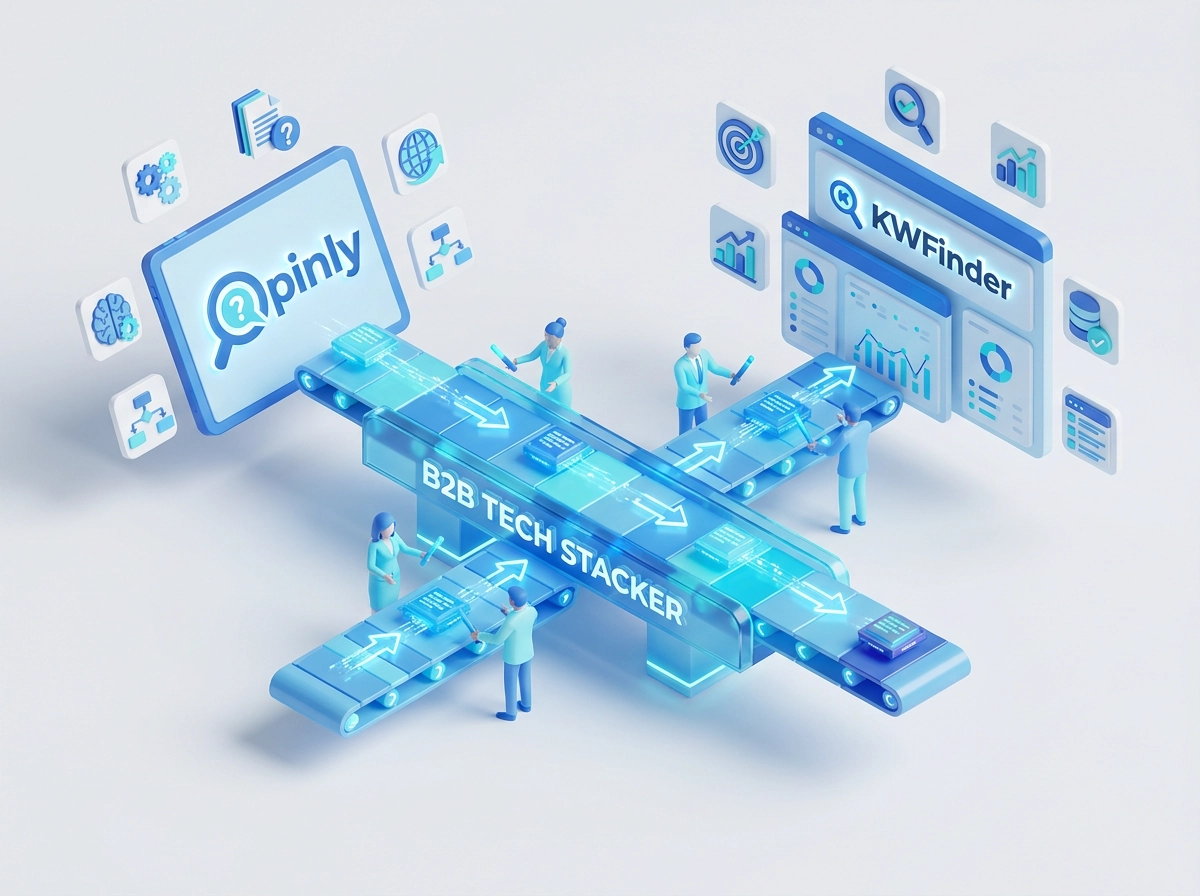
The handoff direction is non-negotiable. Opinly generates strategic intelligence, answering why a topic matters competitively. KWFinder validates tactical opportunity, confirming whether search demand justifies targeting it. VidIQ executes platform deployment, determining how to rank for it on YouTube. Running these stages out of sequence, or skipping one entirely, breaks the compound value each handoff creates, leaving content either misaligned or undifferentiated.
The Monthly Cadence
Structure the pipeline around a four-week rhythm:
- Week 1: Run Opinly competitor reports to refresh weakness signals for the current cycle
- Week 2: Conduct KWFinder keyword validation against the updated Opinly output
- Week 3: Build VidIQ-optimized video briefs from the validated keyword list and queue for production
- Week 4: Review performance data from previously published content before the next cycle opens
This schedule transforms the pipeline from a project into a system.
The Feedback Loop
Track which KWFinder-validated, VidIQ-deployed topics generate the strongest engagement and ranking velocity after publication. Feed those performance signals back into your Opinly monitoring configuration. If a topic cluster consistently outperforms, that signals a competitor weakness worth expanding. If a topic stalls, re-examine whether the original Opinly signal was a genuine gap or a low-priority outlier. This loop sharpens every subsequent cycle.
Shared Documentation Structure
B2B teams managing written and video channels simultaneously should maintain a single tracking document with three tab sections: Opinly Signals, KWFinder Targets, and VidIQ Briefs. This mirrors the logic used in structured pipeline management, similar to how teams map tool-selection criteria in a B2B software buyer’s guide framework. Traceability from competitive insight to published content prevents strategic context from dissolving between stages.
Teams running this workflow consistently for three or more cycles will build progressively sharper competitor models, more precise keyword queries, and more targeted video briefs than those who execute it once and move on.
B2B-Specific Implementation Considerations
The cadence described in the previous section applies universally, but B2B teams face structural differences that require specific configuration adjustments at each pipeline stage.
Configure Opinly at the solution category level, not just by brand domain. B2B buyers research solution categories before they research vendors. A buyer evaluating contract lifecycle management software searches “CLM software for mid-market” before they ever compare named products. Tracking only brand domains in Opinly misses the broader competitive landscape shaping those early-stage decisions. Add category-level competitors and solution-page URLs alongside direct brand domains to capture the full research environment your buyers inhabit.
Apply a longer-tail threshold in KWFinder for B2B validation. B2B search queries are structurally lower in volume than B2C equivalents. Do not filter out low-volume terms by default; filter by intent and deal-size context instead, and calibrate your difficulty threshold to your domain’s actual competitive position.
Prioritize educational and comparison-intent formats in VidIQ. B2B buyers arrive on YouTube in research mode. How-to demonstrations, product walkthroughs, and competitive comparison videos match that behavior directly. Promotional content does not. Structure your video brief queue around those formats and use VidIQ’s SEO scoring to optimize each one for the specific search terms your KWFinder validation confirmed.
Treat competitor monitoring as a regulatory intelligence function. In regulated industries such as fintech, healthcare technology, and enterprise SaaS, knowing what competitors claim, position, and publish has compliance implications alongside strategic ones. Opinly’s continuous tracking keeps your competitive landscape data current without manual refresh cycles, which matters when your legal or compliance team needs a defensible audit trail.
Teams building this pipeline now occupy uncommon ground. For context on deploying this kind of structured approach within a broader demand generation architecture, see Architecting High-Performance B2B Marketing Campaigns. The teams that implement first create a knowledge asset that takes competitors significant time to reverse-engineer and replicate.
Common Mistakes That Break the Pipeline
Even a well-configured pipeline breaks when teams misapply the role each tool plays. These five mistakes are the most common failure points.
Treating Opinly outputs as a keyword list. Competitor weakness reports surface topic areas and intent patterns, not ready-to-target keywords. Jumping from an Opinly report directly into content production skips the demand confirmation step entirely. If KWFinder validation is absent, you may produce content for topics no one is actively searching.
Using VidIQ as a standalone discovery tool. VidIQ surfaces trending and high-volume video topics effectively, but trending is not the same as strategically differentiated. Without the competitive context from Opinly, you may produce content that is SEO-optimized but not positioned to displace competitors at their weakest points. The tool functions as a deployment layer, not an intelligence source.
Neglecting the feedback loop. The pipeline’s compounding value depends on feeding VidIQ and KWFinder performance data back into Opinly’s monitoring configuration. Teams that run Opinly reports in isolation, without updating their tracking based on what content actually ranked or converted, are running a static snapshot system. That is a one-time audit, not a dynamic intelligence pipeline. The same pattern appears in broader B2B tool adoption; teams who treat workflow tools as set-and-forget investments consistently underperform those who close the feedback cycle, a dynamic explored in depth in this guide on matching marketing automation platform capability tiers to the right funnel stage.
Over-indexing on high search volume in KWFinder without checking SERP difficulty. Volume without attainability wastes production resources. A keyword showing 5,000 monthly searches means nothing if the SERP is locked by high-authority domains. Cross-referencing SERP analysis with Opinly’s competitor weakness signals identifies gaps where you can actually rank, not just gaps that theoretically exist.
Failing to separate written and video content targets at the KWFinder stage. Format assignment belongs at validation, not production, revisit the segmentation logic in Step 2 if this step was skipped.
Conclusion: From Competitor Gaps to a Compounding Content Advantage
Avoiding the mistakes outlined above is only half the equation. The other half is executing the pipeline consistently enough to generate compounding returns.
The three-tool sequence covered in this blueprint is the most direct path from identifying competitor weaknesses to publishing content that captures that demand. Opinly surfaces where competitors are structurally exposed. KWFinder confirms whether real search demand exists at those exposure points. VidIQ converts validated targets into ranked video content. No stage is optional; the value lives in the handoffs.
Start this week. Configure Opinly competitor tracking for your top three to five competitors, run your first weakness report, and use those topic clusters to seed your first KWFinder keyword validation session. The full pipeline does not require a multi-week setup. The first cycle can be completed in a single focused workday.
The compounding advantage is a function of cadence: each monthly cycle starts with richer data than the last, as described in the workflow section above.
Teams that keep competitor analysis and content strategy separate lose the strategic grounding this pipeline provides.
The sequence is the strategy. Start with Opinly, validate with KWFinder, and deploy with VidIQ. Every content decision in this pipeline traces back to a confirmed competitive gap, which means every published asset is working toward a specific strategic outcome rather than filling a calendar.