
Skip the reading. Deploy this exact architecture and consolidate your B2B tech stack today.
Most competitor intelligence workflows fail not because of bad data, but because the data never moves anywhere useful. You run an analysis, export a report, and then spend the next hour manually cross-referencing keywords in a separate tab while your strategic advantage evaporates.
This guide solves that problem by walking you through a three-tool intelligence stack built around Opinly AI, Mangools KWFinder, and VidIQ. Each tool handles a distinct layer of the workflow: AI-driven competitor gap analysis, SEO keyword validation, and video content strategy. Together, they create a repeatable system where competitor insights directly feed your content decisions across both search and YouTube.
You will learn how to configure each platform for intelligence work, how to extract structured competitor weaknesses from Opinly’s AI reporting, and how to translate those weaknesses into validated keyword targets using KWFinder and VidIQ. The guide also covers a practical B2B SaaS use case, common integration mistakes, and a measurement framework for tracking stack performance over time.
If you have been running these tools in isolation, this blueprint will show you exactly how to connect them.
Why Three Specialized Tools Outperform One Platform
In 2026, the competitive intelligence tooling market has not consolidated into a single dominant platform, and for good reason. Unified all-in-one platforms consistently trade depth for coverage, producing outputs that are wide but shallow: keyword difficulty scores that lack granularity, competitor analysis that misses video channel behavior entirely, and AI-driven gap detection that gets folded into a general dashboard rather than treated as a dedicated analytical layer.
The three tools in this stack each occupy a non-overlapping domain. Opinly AI operates exclusively at the competitor intelligence layer, surfacing weakness patterns in competitor messaging, feature positioning, and content gaps. KWFinder operates at the search demand validation layer, providing keyword difficulty scoring and volume data. VidIQ operates at the video performance layer, giving teams channel-level and video-level intelligence that no SEO-first tool replicates. There is no functional overlap between the three, which means combining them produces additive capability rather than redundancy.
B2B research teams relying on a single platform typically encounter a specific and costly blind spot: the platform surfaces a competitor’s written content topics but cannot tell you that the same competitor’s YouTube channel has posted nothing relevant in 14 months, or that their product pages fail to target the exact keyword cluster your buyers are actively searching. Those channel-specific signals require purpose-built tools to detect.
The gap blocking most teams is not a technology integration problem. The APIs and export functions exist. The gap is a workflow documentation problem: no authoritative source currently defines the sequencing logic, data handoff format, or decision criteria for connecting these three tools into a functioning intelligence pipeline. If you want to understand how Opinly fits into a broader SEO system before running your first competitor report, the step-by-step Opinly.ai SEO workflow blueprint on B2B Tech Stacker covers that configuration layer in detail. This blueprint addresses the cross-tool sequencing layer that documentation does not currently cover.
Treating these three tools as a connected pipeline rather than three separate subscriptions is the foundational mindset shift this guide requires before any setup step begins.
Prerequisites: Accounts, Access, and Stack Readiness
Before executing any phase of this workflow, confirm three active accounts are in place: Opinly AI for AI-driven competitor analysis reports, KWFinder via Mangools for keyword difficulty and search volume research, and VidIQ for YouTube competitive intelligence. All three must be active before Phase 1 begins; the workflow has no parallel entry points.
Define your competitor set first, before opening any tool. Target 3 to 5 direct competitors whose content, product positioning, and keyword footprints you intend to systematically displace. This ceiling matters operationally: Opinly’s AI reports generate granular weakness data per competitor, and expanding beyond 5 competitors distributes that analysis too thinly to produce actionable priorities. Prioritize competitors with active content programs and overlapping keyword footprints, not simply the largest players in your category.
Prepare a central tracking document before your first Opinly run. A spreadsheet or project management board serves as the connective tissue of the entire stack. Opinly gap topics, KWFinder keyword briefs, and VidIQ topic data must all land in the same document with consistent column structure. Clean data handoffs between tools are what make this a working intelligence pipeline rather than three disconnected subscriptions.
Confirm your target channels before proceeding. This blueprint addresses two channels exclusively: organic search via KWFinder and YouTube video via VidIQ. Opinly’s monitoring scope may extend beyond organic content; consult your plan documentation for channel coverage. Attempting to extend this blueprint into paid search simultaneously fragments focus without adding structure.
Set your review cadence now, not after the first cycle. Competitive intelligence stacks produce continuous data. Without a committed weekly or bi-weekly review rhythm, the output of this workflow degrades into a one-time audit. Schedule recurring review blocks before generating your first Opinly report.
Phase 1: Running AI-Driven Competitor Analysis in Opinly
With your accounts configured and competitor domains identified, open Opinly AI and add each competitor using their root domain. Opinly AI is positioned as an AI-powered competitor analysis tool that tracks elements including landing pages, backlink performance, and traffic signals; the workflow below maps those outputs to four gap categories useful for downstream keyword and video work.
The Four Output Categories That Matter
Narrow your initial analysis to four gap categories with direct downstream utility:
- Messaging gaps: Topics a competitor claims expertise in but doesn’t substantiate with content, case studies, or documentation
- Feature gaps: Capabilities they lack outright or bury in footnotes rather than leading with
- Pricing vulnerabilities: Positioning weaknesses that generate buyer objections (opaque tiers, missing enterprise pricing, no free trial)
- Content frequency gaps: Topics they covered once, then abandoned, or haven’t addressed at all
These four categories map cleanly to keyword and video opportunities in Phases 2 and 3. Ignore signal outside these categories at this stage.
Building the Raw Topic List
As you work through each competitor’s report, document findings as a flat topic list in your central tracking sheet. Aim for a manageable raw topic list across your full competitor set. Each entry should describe a theme, pain point, or capability area where the competitor is provably weak, not a brand name or product feature. These phrases become the seed inputs for KWFinder.
Prioritizing by Weakness Density
Not all competitors warrant equal research effort. Count identifiable gaps per competitor. A competitor with 12 documented gaps is a higher-priority target than one with 3. This triage prevents wasted keyword research cycles in KWFinder on topics where competitive displacement is structurally unlikely.
Classifying Confidence Levels
Before closing the Opinly report, assign a confidence level to each gap:
- High confidence: Gap is supported by a missing product feature, an absent documentation page, or a dead content category
- Medium confidence: Gap is inferred from vague or unsubstantiated messaging claims
Tag each row in your tracking sheet accordingly. In Phase 2, high-confidence gaps receive priority keyword treatment in KWFinder. Medium-confidence gaps enter the queue but don’t drive primary content investment until validated by search demand data.
Setting the Recurring Cadence
Run Opinly reports monthly. Competitor messaging evolves, and a gap you identified in a prior cycle may become a competitor strength within a quarter. Each fresh Opinly run should trigger a new keyword research cycle rather than extending an existing static topic list.
Phase 2: Translating Competitor Gaps into Keywords with KWFinder
With your Phase 1 gap topic list in hand, open KWFinder and enter each raw topic as a seed phrase. Enter the underlying pain point or capability theme, not a competitor’s name or product. “Onboarding automation for SaaS” produces actionable keyword clusters; a competitor’s brand name produces high-difficulty results that don’t map to gap exploitation.
Applying the Three-Metric Filter
Before accepting any keyword, evaluate three KWFinder signals:
- Keyword Difficulty (KD) within a ceiling appropriate for your domain authority level. KD is a composite of backlink counts, domain authority signals, and on-page factors from top-ranking pages. Many B2B teams without established domain authority use a threshold around 40 as a starting point, though this varies by vertical. Treat KD as one input, not a final verdict.
- A minimum monthly search volume that justifies production investment. Practitioners commonly set this floor between 50 and 200 depending on niche; below the threshold you choose, the traffic ceiling rarely justifies production costs.
- Trend line stability. Filter out keywords showing single seasonal spikes. KWFinder’s historical trend view distinguishes sustained demand from anomaly traffic; only stable trend lines represent safe content bets.
SERP Validation Against Opinly’s Gaps
For each keyword clearing the filter, open KWFinder’s SERP analysis panel and cross-reference results against your Opinly findings. If a competitor flagged as weak in Phase 1 still holds a top-3 position with high domain authority and a well-developed page, that keyword needs a stronger content foundation before you target it. If their ranking page is thin, outdated, or misaligned with the query, the Opinly gap is confirmed exploitable at the search result level.
Segmenting by Content Type Signal
Sort accepted keywords by intent before briefing:
- Informational intent (how-to, what is, guide) maps to blog content
- Comparison or evaluation intent (best, vs., alternative) maps to comparison or landing pages
- High-specificity, feature-level queries map to product or solution pages
This segmentation prevents writing blog posts for keywords that signal purchase-stage intent.
Building the Keyword Brief
For each accepted keyword, create a brief row capturing: the originating Opinly gap topic, target keyword, KD score, monthly search volume, content type signal, and a one-line content angle. This brief is the direct handoff artifact to Phase 3 in VidIQ and feeds your content calendar simultaneously. Teams using Mangools as part of a structured SEO stack will recognize this format as the connective tissue between research and execution.
Before finalizing, cross-reference every accepted keyword against existing published content. If you already rank for a close variant, adding a new piece targeting the same intent creates cannibalization risk, not competitive displacement.
Phase 3: Building a Video Content Strategy with VidIQ
With your Phase 2 keyword briefs finalized, take each one into VidIQ and run it through the keyword research tool to confirm YouTube-native search demand. This is a mandatory filter: Google search intent and YouTube search intent diverge significantly, and a keyword with 500 monthly Google searches may have near-zero YouTube demand. Only briefs with confirmed YouTube search volume advance to video production.
Step 1: Filter Keyword Briefs for YouTube Viability
Enter each Phase 2 keyword into VidIQ’s keyword research tool. Accept the keyword for video development only if it returns measurable YouTube search volume with an achievable competition score. Reject keywords that don’t clear this threshold; they remain written-content-only briefs.
Step 2: Audit Competitor Videos for the Same Weakness Patterns
For each keyword that clears the YouTube filter, pull up the top-ranking competitor videos. Apply the same weakness logic you validated in Opinly: flag videos that haven’t been updated in over a year, videos with high view counts but low comment and like rates (indicating passive consumption rather than genuine engagement), and videos that rank for your target keyword but visibly fail to answer the query. Any one of these signals confirms an exploitable gap.
Step 3: Build a Video Metadata Framework
Use VidIQ’s tag and keyword suggestion tools to structure metadata for each target video. Front-load the primary keyword in the title, select a focused set of supporting tags from VidIQ’s suggestions, and place the primary keyword early in the description. This directly targets the competitor weakness surface you identified in Opinly and confirmed in KWFinder.
Step 4: Match Video Format to Gap Type
Map each video to its Opinly gap category: messaging gaps warrant explainer or thought-leadership formats; feature gaps warrant demo or comparison formats; content frequency gaps warrant comprehensive overviews that fill the vacuum competitors left by going dormant on a topic.
Step 5: Run VidIQ’s Channel Audit on Competitor Channels
Use VidIQ’s channel audit tool to surface each competitor’s lowest-performing videos on your target topics. A weak competitor video on an Opinly-confirmed, KWFinder-validated keyword is a high-confidence production target. If you plan to automate downstream distribution of the resulting videos, the VidIQ-to-email automation blueprint connecting Make, VidIQ, GlockApps, and AWeber covers the full pipeline.
Phase 3 output: a video content brief paired directly with its Phase 2 keyword brief, giving your content team a unified written-and-video plan built entirely from confirmed competitor weaknesses.
Connecting the Stack: Data Handoffs and Tool Sequencing
With your Phase 3 video briefs documented, the final step is understanding exactly how data moves between all three tools and why the order is non-negotiable.
The stack runs in one direction only: Opinly AI first, KWFinder second, VidIQ third. Reversing or skipping any layer breaks the intelligence chain. Starting in KWFinder without Opinly produces a generic keyword list with no competitor weakness grounding. Running VidIQ briefs without validated KWFinder data produces video topics with unconfirmed search demand.
The Two Critical Data Handoffs
Opinly to KWFinder: The raw gap topic list (confidence-tagged and competitor-mapped per Phase 1) is the handoff artifact; high-confidence gaps receive priority keyword treatment.
KWFinder to VidIQ: The keyword brief set (validated keyword, KD, volume, content-type signal, and Opinly gap source) is the handoff artifact; VidIQ filters it for YouTube viability.
Traceability Is the Stack’s Quality Control
Every row in your tracking document, whether a KWFinder keyword or a VidIQ video brief, must reference its originating Opinly gap by ID or label. A naming convention like GAP-07-CompetitorName-TopicSlug applied consistently across all three tool outputs lets you audit whether published content is addressing confirmed competitor weaknesses or drifting toward generic content marketing and SEO topics with no competitive displacement value.
Monthly Stack Refresh Protocol
Run this sequence once per month: refresh Opinly reports to catch competitor messaging updates, re-run KWFinder searches on your active keyword list to detect difficulty shifts, and pull VidIQ performance data on published videos to compare against the competitor benchmarks you logged at the time of briefing. This cadence keeps the stack producing current intelligence rather than recycling a static topic list.
B2B Use Case: Applying the Stack to SaaS Tool Evaluation Content
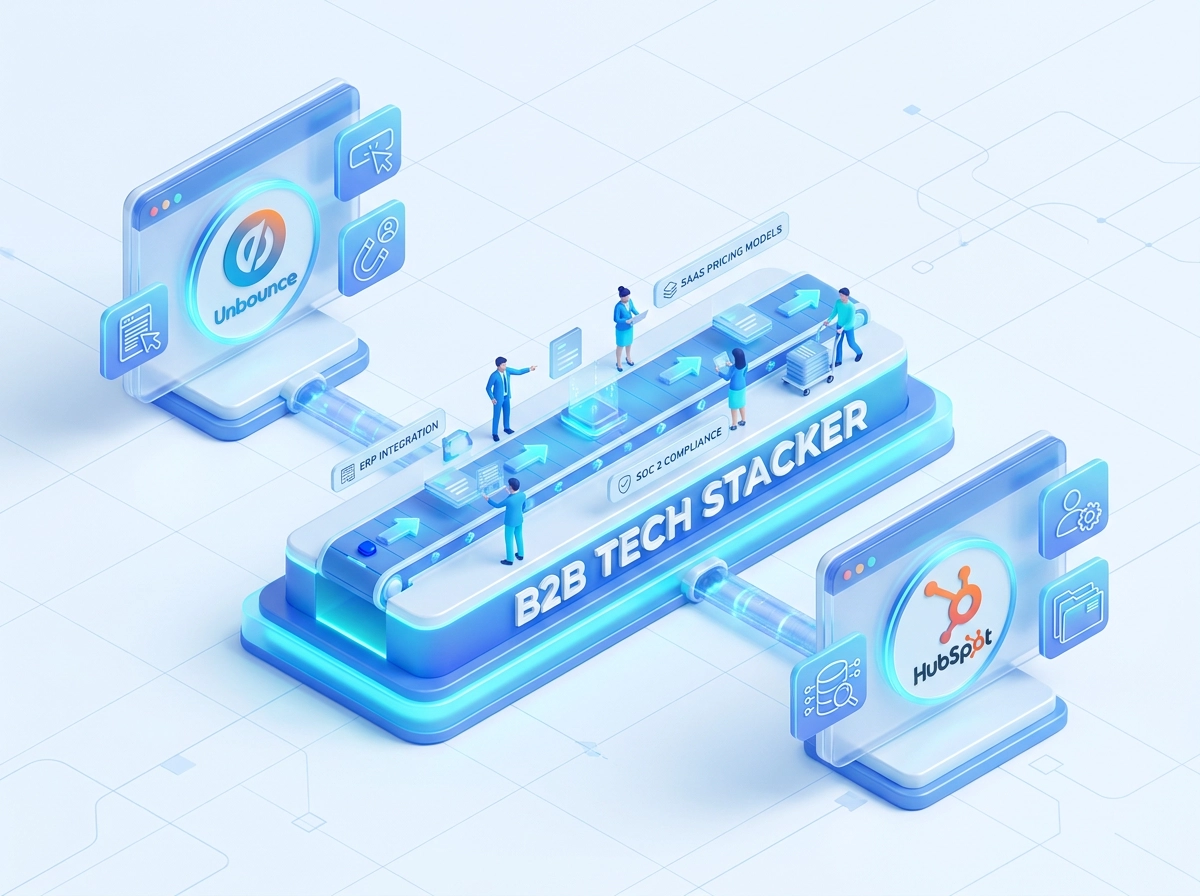
IT professionals and business decision-makers evaluating B2B software stacks query with precision: “does this platform integrate with our existing ERP,” “SOC 2 compliance feature support,” “per-seat vs. usage-based pricing SaaS.” That specificity is exactly what this stack is built to serve.
Consider a representative scenario. An Opinly analysis across 3 to 5 SaaS competitor platforms surfaces a recurring messaging gap: every competitor claims broad native integrations in their marketing copy, but their actual documentation pages cover only a limited set of integrations in detail, with many pages last updated well over a year ago. That pattern is a confirmed gap, not an assumption.
That single Opinly finding seeds a focused cluster in KWFinder. Running integration-specific phrases as seed topics can return a focused cluster of winnable keywords. Individually modest numbers, but as a cluster they represent high-intent traffic that generic keyword brainstorming would never surface. Without the Opinly gap as the entry point, none of those queries would appear on a standard keyword research pass.
Taking that same cluster into VidIQ reveals a second layer. Competitor YouTube videos on integration setup topics are often years old with weak engagement ratios: high passive views, minimal comments, low like rates. A single comprehensive walkthrough video, optimized with VidIQ’s metadata framework, can capture both direct YouTube search traffic and recommended traffic from viewers currently watching those outdated competitor videos.
The compounding effect is the core takeaway. One Opinly gap report generates a keyword cluster via KWFinder, which simultaneously generates a video content brief via VidIQ. One research cycle produces both a written content asset and a video asset. Teams searching for this type of structured approach can explore related tooling patterns across the B2B software categories directory for additional stack configurations that follow the same intelligence-first sequencing.
Common Workflow Mistakes and How to Fix Them
Even a well-sequenced stack breaks down when execution habits undercut the workflow logic. These are the five failure patterns that appear most frequently in practice, along with the direct fix for each.
Opening KWFinder before running Opinly. Skipping the intelligence layer and jumping straight to keyword research produces a generic list grounded in your own assumptions, not verified competitor weaknesses. You end up targeting the same terms your competitors already own. The fix: Opinly runs first, always. Every keyword session starts from a gap topic list, never from a blank seed box.
Entering competitor brand names as KWFinder seeds. The gap topics that Opinly surfaces, such as specific pain points, feature categories, and use cases, produce lower-difficulty, higher-intent keyword opportunities that brand queries never surface. Replace brand names in your seed list with the underlying topic language from your Opinly report.
Treating VidIQ as optional. Many B2B buyers consult video content during software evaluation, making a YouTube presence increasingly difficult to ignore, and competitor video content is often weaker than their organic search presence. Skipping the VidIQ phase leaves a confirmed weakness uncontested in a channel your competitors frequently neglect. Build it into every workflow cycle, not as an afterthought when blog production slows.
Not refreshing Opinly reports post-publish. Run monthly updates as established in Phase 1, a gap you exploit today can become a competitor strength within a quarter.
Building briefs without traceability to the originating gap. Without a documented link from each content brief back to its Opinly source, you cannot audit whether the stack is producing competitive displacement or just generating generic traffic. Tag every KWFinder keyword and every VidIQ video brief with the specific Opinly gap it addresses. This single habit makes performance measurement unambiguous. For structured approaches to maintaining these handoffs at scale, the workflow automation blueprints library provides directly applicable frameworks.
Measuring the Performance of Your Intelligence Stack
Avoiding workflow mistakes is half the equation. The other half is confirming the stack is producing measurable competitive outcomes, not just content volume.
Three core metrics per content piece:
- Organic ranking position for the target SEO & Search Visibility keyword from KWFinder confirms the Opinly-identified gap was genuinely exploitable
- YouTube ranking position and click-through rate for the corresponding VidIQ brief confirms video channel viability on that topic
- Competitor ranking position on the same keywords over time confirms the gap is producing actual competitive displacement, not just traffic
Tracking your position alone is insufficient. Competitor movement on the same keyword is the signal that validates the strategy.
Rank Tracking and Alert Configuration
Use KWFinder’s built-in rank tracking to monitor target keyword positions on a rolling basis. Configure alerts for two correlated events: your ranking improving and the competitor’s ranking dropping on the same keyword. Correlated movement confirms the gap exploitation logic is working. One-sided movement, where you climb but the competitor holds position, suggests the content needs stronger topical depth or authority signals.
Intelligence Freshness as a Health Indicator
Treat report age as a stack health signal; a significantly outdated Opinly run (see Phase 1’s monthly cadence) means your active briefs rest on stale intelligence. If your most recent competitor report is more than a month or two old, trigger a refresh cycle before commissioning additional content.
Quarterly ROI Review
Each quarter, evaluate performance at the content piece level: which Opinly-sourced gaps produced content that ranked, which KWFinder keywords converted to organic sessions, and which VidIQ briefs yielded videos with above-average watch time. This review directly informs which competitor weakness categories to prioritize in the next Opinly analysis cycle, closing the feedback loop between measurement and intelligence input.
Conclusion: From Intelligence to Execution
With performance tracking in place, the final question is whether your team will act on what the stack reveals.
As established in the stack sequencing section, each phase depends on the previous one, reversing the order removes the competitive-weakness grounding that makes the output distinctive.
The minimum viable first sprint looks like this:
- Run an Opinly analysis on 3 to 5 direct competitors and extract a raw gap topic list of at least 20 items
- Feed those topics into KWFinder and identify your first 5 target keywords within a KD ceiling appropriate for your domain authority level
- Validate at least 2 of those keywords in VidIQ for YouTube search demand and commission one video brief before the sprint closes
Completing all three steps within a single sprint cycle matters. The compounding value of this stack, where one Opinly report seeds both a written content calendar and a video production queue, only materializes when all three tools are active in the same workflow iteration.
As your competitive intelligence program matures, the sequencing discipline established here scales cleanly into broader content operations. Explore the architecture blueprint library for workflow guides on extending this stack with additional tools that complement the intelligence-to-execution model built in this blueprint.