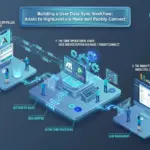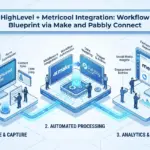

Skip the reading. Deploy this exact architecture and consolidate your B2B tech stack today.
Most customer communication stacks leak value at the seams. Your live chat captures intent, your automation platform routes it somewhere, your app delivers a resource, and your video tool produces content, but none of these layers talk to each other in any meaningful way. The result is fragmented data, manual handoffs, and a customer experience that feels stitched together rather than engineered.
This tutorial walks you through building a unified stack using LiveChat, Pabbly Connect, Adalo, and Flixier, with JotForm and MetriCool extending the architecture at key points. You will learn how to configure each tool, connect them through intelligent automation, and run the full workflow end to end. Special attention goes to Pabbly Connect’s task-counting model, where triggers and internal steps consume zero tasks, giving you roughly three times the execution efficiency compared to platforms like Zapier or Make at equivalent price points. If you are an intermediate builder ready to move beyond single-tool setups, this is the blueprint.
Why These Four Tools Belong in the Same Stack
That fragmentation problem, already established above, is exactly what this blueprint solves by assigning each tool a specific architectural role.
LiveChat serves as the real-time conversation layer, the entry point where lead data is first captured and tagged. Pabbly Connect is the automation backbone, receiving webhook payloads from LiveChat and routing structured data to every downstream tool without manual intervention. Adalo functions as the branded no-code app layer, giving qualified leads a personalized portal where they access resources assigned to their specific segment. Flixier handles video content production and delivery, generating shareable video URLs that Pabbly Connect writes directly into each contact’s Adalo record.
The specific combination is what creates compounding value. A chat event in LiveChat fires a webhook; Pabbly Connect routes the payload, creates an Adalo contact record, and assigns the correct Flixier video URL to that record; the lead receives a portal link by email within minutes. No custom backend code required at any step.
The pricing model’s efficiency advantage (covered in the opening section) applies directly here: only the Adalo write and email send action steps count against your task limit.
The target outcome is a single coordinated pipeline covering lead capture, automated nurturing, app-delivered resources, and personalized video content at scale.
Prerequisites: Accounts, Access Levels, and Technical Requirements
Before building any workflows, confirm you have the right account tiers in place. Missing a plan feature mid-configuration is the most common cause of setup delays in multi-tool stacks like this one.
Required Accounts and Plan Tiers
The following tier requirements are based on author testing and published feature matrices at the time of writing; verify current plan details on each vendor’s pricing page before purchasing.
- LiveChat: Team plan minimum. Webhook access is not available on the Starter plan; the Team plan unlocks the Settings > Integrations > Webhooks panel required for this workflow.
- Pabbly Connect: Starter plan or above. Multi-step workflows with Router and Filter steps require a paid tier. The Starter plan’s 3,000 monthly task limit comfortably supports this stack since only action steps consume tasks.
- Adalo: The free tier is sufficient for prototyping the database schema and app screens. A Pro plan is required once you need a custom domain (e.g., portal.yourdomain.com) and to enable external API actions that accept POST requests from Pabbly Connect.
- Flixier: Creator plan or above. API-level export and automation-compatible sharing links are not available on the free tier.
Supporting Tools
Two additional tools appear in later workflow steps. JotForm feeds structured intake data into the stack as an alternative lead-capture trigger. MetriCool handles content scheduling and campaign attribution after assets are delivered. Free tiers on both are sufficient for initial testing.
Estimated Setup Time
Expect several hours across the full stack, roughly 30 to 45 minutes per tool for account setup and configuration, plus additional time for the integration phase where webhooks, API endpoints, and data mappings are connected and tested end-to-end.
Skill Level Expected
No coding is required, but this blueprint assumes familiarity with webhook concepts, basic JSON field mapping, and no-code app builder logic. If trigger/action automation is new to you, reviewing Mastering Custom Webhooks and API Routing before starting will reduce troubleshooting time significantly.
Browser and Environment Requirements
Run the Pabbly Connect workflow editor in a Chromium-based browser (Chrome or Edge), it performs most reliably in that environment. Flixier‘s editor is entirely browser-based, so a stable broadband connection is necessary during export tasks. Video rendering jobs queued on unstable connections will time out without producing a shareable URL.
Setting Up LiveChat as Your Real-Time Communication Layer
With accounts provisioned and browser environments confirmed, LiveChat is your first active configuration step.
Widget Installation and Team Routing
Paste the LiveChat tracking script just before the closing </body> tag on every page where you want chat available. For web apps built on single-page frameworks, add it once to your root index.html. After installation, navigate to Settings > Chat Widget > Routing and configure group-based routing: assign dedicated agent groups per product line, region, or account tier so inbound B2B conversations reach the right team immediately rather than landing in a shared queue.
Pre-Chat Surveys and Chat Tags
Enable the pre-chat survey under Settings > Chat Widget > Pre-Chat Survey. Add fields for company name, job title, and primary use case. These become structured data points rather than free-form chat text, which matters downstream when Pabbly Connect maps them to variables.
Configure chat tags under Settings > Tags. Create a controlled tag vocabulary aligned to your lead segments, such as enterprise-lead, onboarding-request, or pricing-inquiry. Agents apply these during or after a conversation, and the tag value travels inside the webhook payload as a filterable field.
Webhook Configuration
Navigate to Settings > Integrations > Webhooks and create a new webhook. Select either the chat_ended or ticket_created event depending on your preferred trigger point. Leave the target URL field open for now; you will paste the Pabbly Connect webhook URL here once you generate it in the next section. The Pabbly Connect integration profile on B2B Tech Stacker covers its webhook receiver setup in detail.
The following field names and event names reflect LiveChat’s webhook API at time of writing; always confirm against LiveChat’s current API documentation.
The payload LiveChat sends includes: visitor.email, chat.transcript, chat.tags, and agent.name. Each becomes a dynamic variable in Pabbly Connect mappings, so map them exactly as they appear in the raw JSON response during testing.
Canned Responses and Automation Rules as a Qualification Filter
Before any webhook fires, use LiveChat’s built-in automation rules to filter low-intent traffic. Set a rule that only chats meeting a minimum duration threshold, or chats where the agent has applied a qualifying tag, advance to webhook dispatch. Canned responses handle repetitive FAQ deflection, keeping unqualified conversations from generating webhook events at all. This keeps your Pabbly Connect task consumption lean by ensuring only actionable leads enter the automation pipeline.
Configuring Pabbly Connect as the Automation Backbone
With your LiveChat webhook configured and waiting, the next step is wiring Pabbly Connect to receive and act on that data.
Creating the Webhook Trigger
In Pabbly Connect, create a new workflow and name it something descriptive, such as “LiveChat Lead Router.” Set the trigger app to Webhook by Pabbly. Pabbly Connect generates a unique webhook URL immediately. Copy that URL and paste it into the LiveChat webhook configuration you completed in the previous section, targeting the “chat ended” event.
Testing the Payload
Initiate a test chat in LiveChat using a browser incognito window. End the chat, then return to Pabbly Connect’s trigger response panel. The captured payload should display fields including visitor_email, visitor_name, tag, and agent_name. Verify each field name matches the variable labels you plan to reference downstream. If a field appears blank, confirm the pre-chat survey in LiveChat is set to required for that input.
Adding the Router and Branching Logic
Insert a Router step directly after the trigger. Configure two branches:
- Branch 1 (Qualified Lead): Condition checks that the
tagfield equals your qualifying label (for example,enterprise-lead). This path proceeds to Adalo record creation and a Flixier video URL assignment. - Branch 2 (General Inquiry): All other records route here, triggering a JotForm follow-up submission or a plain email notification.
Mapping the Primary Branch Data Flow
In Branch 1, map visitor_email, visitor_name, and tag from the LiveChat payload as dynamic variables. Format visitor_email and visitor_name for the Adalo API POST body. Pass tag into the Flixier personalization field to drive segment-specific video selection in a later step. This pattern is common across marketing and agency automation stacks where lead segmentation must travel intact across multiple tools.
Understanding the Cost Advantage
The pricing model’s efficiency advantage (covered in the opening section) applies directly here: only the Adalo write and email send action steps count against your task limit.
Building the Adalo App Layer for Personalized Resource Delivery
With the Pabbly Connect routing logic in place, the next action step targets Adalo as the branded portal where qualified leads land after their chat conversation.
Adalo’s role here is specific: it functions as a no-code web or mobile app that authenticated contacts log into to access personalized proposals, onboarding materials, or Flixier video content assigned to their account. It replaces a generic email attachment with a branded, gated experience tied to the lead’s identity.
Database Setup
Inside your Adalo app, create two collections:
- Contacts: fields for
email,name,tag(maps to the LiveChat segment), andsignup_date - Resources: fields for
video_url(the Flixier asset link),resource_title, and a relationship field linking each resource record back to a Contact
The field names in Contacts must match the variable names extracted from the LiveChat payload in Pabbly Connect to avoid remapping errors downstream.
Configuring the API Endpoint
Navigate to Settings > App Access > API inside your Adalo app. Enable the Collections API and copy the base endpoint URL, which follows the pattern https://api.adalo.com/v0/apps/{appId}/collections/{collectionId}. Generate an API key under the same panel. Paste both the endpoint URL and the API key into the Pabbly Connect action step targeting Adalo, setting the request type to POST with the key passed as an Authorization: Bearer header.
Note that Adalo does not natively support OAuth 2.0 authorization, so bearer token authentication is the correct method for this workflow.
App Screen Design
Build two screens:
- Login screen: email-based authentication using Adalo’s built-in Magic Link or simple email/password login component
- Dashboard screen: a list component filtered by
logged-in user email, displaying records from the Resources collection with video URLs rendered as clickable links or embedded players
Publishing and Portal Link Delivery
On Adalo’s Pro plan, go to Settings > App Domains and connect your custom subdomain, such as portal.yourdomain.com, via a CNAME record pointed at Adalo’s servers. Once published, return to your Pabbly Connect workflow and append the portal URL as a variable in the automated follow-up email action step. Teams managing multiple lead segments can also explore how CRM and funnel builder tools complement this portal layer for deeper pipeline visibility.
Using Flixier to Produce and Deliver Personalized Video Content
With the Adalo portal configured to receive video URLs, Flixier is where those assets originate. It serves as the browser-based video production and rendering layer in this stack (based on Flixier’s published feature set at time of writing), purpose-built for producing templated sales or onboarding videos that are segmented per lead type and surfaced inside the portal as direct-play URLs.
Building Reusable Segment Templates
Create one Flixier project per LiveChat tag category. For example, an “enterprise-lead” tag maps to an enterprise onboarding template; an “onboarding-request” tag maps to a product walkthrough template. Inside each project, use Flixier’s text overlay layers and brand kit (logo, colors, fonts) to lock the visual structure while keeping the customizable elements, such as the contact’s company name or use case callout, on editable text layers. When a new lead falls into a segment, you update only those layers and render; no rebuilding from scratch.
Generating and Capturing Video URLs
After rendering, Flixier’s sharing feature generates a unique, publicly accessible URL for each exported video asset. This URL is the critical data point the rest of the stack depends on. Pabbly Connect captures this URL and writes it as a field value into the corresponding record in the Adalo Resources collection, where the authenticated contact retrieves it on their portal dashboard.
Manual Validation Before Automation
Start manually: render a Flixier video, copy its share URL, and paste it directly into the matching Adalo record. Confirm the video loads correctly inside the portal before building any automation. Once the segment-to-template mapping is validated end-to-end, configure Pabbly Connect to write those URLs programmatically, triggered by the LiveChat tag value passed through the workflow. This progression prevents debugging two systems simultaneously.
Collaborative Cloud Rendering for B2B Teams
Flixier’s cloud rendering and shared project workspace make it practical for distributed teams to manage this asset library. Marketing can own brand-kit templates, sales can edit persona-specific text overlays, and customer success can maintain onboarding variants, all within the same platform. For teams building more expansive no-code content tooling, the Instadoodle directory profile provides a useful reference for complementary visual content tools that slot into similar stack positions.
Extending the Stack With JotForm and MetriCool
With Flixier handling video production, two supporting tools extend the stack’s reach into lead capture and outbound promotion: JotForm and MetriCool.
Where JotForm Fits
JotForm slots in as a structured pre-qualification layer. Embed a JotForm on landing pages or link it directly inside a LiveChat pre-chat message to capture richer fields, such as company size, budget range, and use-case detail, that LiveChat’s native survey fields do not accommodate. This makes JotForm particularly useful for leads who arrive outside business hours or prefer form-based inquiry over live chat.
In Pabbly Connect, create a second workflow using the native JotForm trigger. When a submission fires, Pabbly Connect maps the form fields and sends a POST request to the same Adalo Contacts collection endpoint used by the LiveChat workflow. Both lead sources converge into one collection, so every contact receives the same portal experience regardless of how they entered the stack.
MetriCool as the Promotion and Analytics Layer
Once a Flixier video URL is written into the Adalo portal, MetriCool takes over outbound visibility. Use MetriCool to schedule social posts promoting the new content, track link engagement per post, and attribute inbound portal traffic back to specific campaigns. This closes the gap between content delivery and performance measurement that most marketing automation and email stacks leave open.
To automate this step, add a parallel action in the Pabbly Connect workflow that calls MetriCool’s API after the Adalo record is created, queuing a social post tied to the correct campaign tag. Check MetriCool’s current API and Pabbly Connect’s integration library to confirm this action is available before building it into production. Only that API call counts as a billable task in Pabbly Connect; the router branch that directs the trigger to MetriCool does not.
The full extended data flow runs as follows: JotForm or LiveChat captures the lead, Pabbly Connect routes and enriches the record, Adalo hosts the personalized portal, Flixier delivers the video asset, and MetriCool handles outbound promotion and campaign tracking.
The Full Workflow Blueprint: End-to-End Integration Walkthrough
With the extended stack components mapped in the previous section, here is how every layer fires in sequence from a single qualifying chat event.
Step 1: Chat event fires in LiveChat. A visitor completes a conversation and the agent assigns a segment label, such as enterprise-lead or onboarding-request, before closing the chat. That tag action triggers LiveChat’s outbound webhook, which fires an HTTP POST payload to the Pabbly Connect listener URL configured under Settings > Integrations > Webhooks.
Step 2: Pabbly Connect receives and routes the payload. The Webhook by Pabbly trigger captures four key fields: visitor email, name, conversation tag, and transcript summary. A Router step evaluates the tag value. Records carrying a qualifying tag proceed down the primary automation branch; untagged or low-priority records exit to a notification-only branch.
Step 3: Adalo record creation. The primary branch executes a POST request to the Adalo API endpoint targeting the Contacts collection. Pabbly Connect maps email, name, and tag from the LiveChat payload into the corresponding Adalo fields, and simultaneously assigns the correct Resources template record linked to that segment. This action step counts as one task against the Pabbly Connect monthly allowance.
Step 4: Flixier video URL assignment. If a pre-rendered Flixier video URL already exists in the segment lookup table, Pabbly Connect writes it directly into the Adalo Resources collection record in the same action sequence. If the segment requires a custom render, Pabbly Connect sends an internal email notification to the responsible team member with a defined SLA window for upload.
Step 5: Portal access delivery. Pabbly Connect dispatches an automated email to the lead containing their unique Adalo portal URL. The lead authenticates by email and lands on a dashboard showing their assigned Flixier video and any linked resources. This email send counts as the second action step for the execution.
Step 6: MetriCool promotion. A parallel action in the same Pabbly Connect workflow posts a scheduled content update to MetriCool, flagging the new video asset for social distribution and appending the originating campaign tag for performance attribution. Because this runs as a parallel branch rather than a sequential step, it does not extend the critical path of the lead delivery sequence. Teams using JotForm as an intake channel, detailed in the B2B Tech Stacker JotForm profile, can feed this same six-step sequence through a second Pabbly Connect workflow with a JotForm trigger, keeping both entry points unified in one Adalo portal.
Technical Considerations, Task Budgeting, and Common Troubleshooting
With the six-step workflow now mapped, several operational details determine whether it runs cleanly in production.
Webhook Deduplication LiveChat webhooks retry on timeout, which means Pabbly Connect can receive the same event payload more than once. To prevent duplicate Adalo contact records, add a Filter step in Pabbly Connect that checks for an existing record by chat ID before the Adalo write action executes. Because Filter steps do not consume task credits, this guard costs nothing against your monthly allowance.
Task Budgeting The exact task total will depend on your lead volume and branch distribution, but for most small-to-mid B2B teams, consumption stays well within the 3,000-task monthly limit. Pabbly Connect’s $249 lifetime entry tier includes that 3,000-task monthly allowance. Router, Filter, and Delay steps do not factor into this count, see Pabbly Connect’s pricing page for current task allowances.
Adalo API Concurrency Under burst conditions, simultaneous webhook triggers can cause Adalo API actions to time out. Insert a Delay step in Pabbly Connect immediately before the Adalo write action. A 2 to 5 second delay spaces out concurrent requests; check Pabbly Connect’s current task-counting documentation to confirm whether Delay steps count against your monthly allowance.
Flixier URL Lookup Table Hardcoding Flixier video URLs directly into the Pabbly Connect workflow makes maintenance brittle. Instead, maintain a lookup table in an Adalo collection or a linked spreadsheet, keyed by LiveChat tag. Pabbly Connect retrieves the correct URL dynamically at runtime, so updating a video asset requires only a single record edit rather than a workflow republish.
PII and Compliance LiveChat payloads include visitor email addresses and chat transcripts, both of which qualify as personally identifiable information. Verify that your Pabbly Connect account’s data region setting matches your applicable compliance jurisdiction. Write only the minimum required fields into Adalo records; avoid storing full chat transcripts unless your data processing agreement explicitly covers that use case.
Building This Stack: Where to Start and What to Prioritize
With the technical groundwork covered, the decision now is sequencing, not capability.
The core value proposition is this: five tools, zero custom code, one automated pipeline that converts a real-time chat event into a personalized video experience delivered through a branded app portal. Everything documented in this blueprint is achievable without writing a single line of backend logic.
Start with Pabbly Connect first. It is the connective tissue that determines whether every other tool in the stack can communicate. Before configuring LiveChat webhooks or building an Adalo database schema, you need a live Pabbly Connect workflow URL to receive payloads. Setting up Pabbly Connect first eliminates blocking dependencies across every subsequent phase.
Follow a phased rollout:
- Phase 1: Connect LiveChat and Pabbly Connect only. Validate that webhook payloads arrive, fields map correctly, and the Router logic branches as intended.
- Phase 2: Add Adalo as the portal layer. Confirm that Pabbly Connect writes contact records via the API before adding any content resources.
- Phase 3: Introduce Flixier video URLs into the Adalo Resources collection, starting manually until segment-to-template mapping is confirmed before automating.
- Phase 4: Layer in JotForm as a supplemental intake trigger and MetriCool for outbound promotion tracking.
Each phase produces a functional, testable output before the next dependency is introduced.
On cost: Pabbly Connect’s lifetime pricing (detailed in the Technical Considerations section) anchors the cost model. With Pabbly Connect’s $249 lifetime entry tier as the main investment, and free or low-cost entry tiers available on the other platforms, the stack can be stood up at a fraction of what a custom-coded equivalent would require, validate current pricing on each vendor’s site before budgeting.
Explore each tool’s free tier or trial before committing. Every platform in this stack offers a no-risk entry point, and the phased approach means you validate ROI at each stage before the next invoice.
Conclusion
Building a unified communication and content stack does not require an enterprise budget or a development team. LiveChat handles real-time engagement, Pabbly Connect automates the logic between every tool, Adalo delivers personalized resources without code, and Flixier brings video content into the mix at scale. Together, they form a system that responds to customers faster, smarter, and more personally than disconnected point solutions ever could.
The phased rollout approach means you never overcommit before validating results. Each stage pays for itself before the next begins.
Start today by creating your Pabbly Connect account and connecting your first LiveChat webhook. That single step unlocks the entire stack. Within days, you can have a fully operational, automated customer experience running for a fraction of what traditional solutions cost. Build it once, and let it work for you continuously.